

Best overall for Microsoft-centered businesses: Microsoft Entra ID. Best for mixed application environments: Cisco Duo. Best for Google-centered teams: Google Workspace. These are the best multi-factor authentication tools for business in 2026 when their controls match the systems your employees actually use.
- The best multi-factor authentication tools for business match your applications, recovery process, and administrative capacity.
- Microsoft Entra ID is the default shortlist choice for Microsoft-centered businesses.
- Cisco Duo suits mixed environments; Okta suits organizations standardizing access across separate applications.
- Google Workspace suits Google-centered teams; YubiKey 5 Series adds hardware authentication to compatible identity platforms.
Why this matters
Multi-factor authentication protects account access, but a poorly planned rollout creates lockouts and leaves exceptions unmanaged. Your decision needs to cover enrollment, everyday sign-ins, lost devices, and employee departures—not just the authentication prompt.
BritCore IT provides managed IT support services for business technology. Treat authentication as part of that operational work: someone must maintain policies, investigate failures, and handle access changes.
For 2026, choose the identity platform that covers your business applications, then select the strongest supported authentication method. An authenticator app, an identity platform, and a hardware key perform different jobs. This guide compares those roles rather than pretending every option replaces every other option.
What makes the best business MFA tool?
Evaluate these criteria before comparing names:
- Application coverage: Confirm support for your email, remote access, administrative systems, and essential business applications. A protected email account does not automatically protect every connected service.
- Phishing resistance: Prefer FIDO2/WebAuthn security keys or passkeys where supported. One-time codes and ordinary approval prompts do not provide the same protection against fraudulent sign-in pages.
- Recovery controls: Require a documented process for lost phones, missing keys, replacement devices, and identity verification before an administrator resets authentication.
- Policy administration: Check how administrators enforce enrollment, manage exceptions, review sign-in events, and revoke access. Separate routine help-desk work from privileged policy changes.
- User fit: Test the actual devices and working conditions involved. Shared workstations, personal phones, remote workers, and restricted areas create different enrollment requirements.
- Operational ownership: Name the person responsible for policy maintenance and escalations. A feature list is not an operating process.
MFA requires at least 2 different factor categories, such as something you know and something you possess. Two passwords are not MFA. A hardware key can support possession, while a PIN or biometric check can provide an additional factor within a supported authentication flow.
Business MFA tools at a glance
The table separates centralized access platforms from hardware authenticators. Row order matches the recommendations below; the ranking reflects the stated use case, not a universal security score.
| Tool | Best for | Standout capability | Key limitation |
|---|---|---|---|
| Microsoft Entra ID | Microsoft-centered businesses | Identity administration and Conditional Access | Advanced controls depend on licensing and configuration |
| Cisco Duo | Mixed application and remote-access environments | MFA integrations across different access systems | Coverage requires application-by-application verification |
| Okta Workforce Identity | Organizations standardizing access across many applications | Centralized workforce identity and access policies | Adds an identity platform to administer |
| Google Workspace | Google-centered business teams | Account-level enforcement of two-step verification | Does not replace every separate application’s access controls |
| YubiKey 5 Series | Hardware authentication for compatible systems | FIDO2/WebAuthn and other authentication protocols | Requires an identity platform and a recovery plan |
1. Microsoft Entra ID: best MFA for Microsoft-centered businesses
Microsoft Entra ID manages workforce identities and access to Microsoft services and connected applications. It supports MFA and Conditional Access, which lets administrators apply access requirements based on defined conditions. Available controls depend on the licenses and configuration in place.
Microsoft Entra ID is the best default shortlist choice for a business already managing employee access through Microsoft. Start with the tenant you operate rather than assuming another authentication product is necessary.
Microsoft Entra ID pros
- Connects MFA policy with the identity environment used for Microsoft business services.
- Supports phishing-resistant authentication methods, including compatible FIDO2 security keys.
- Provides sign-in records that help administrators investigate access failures.
Microsoft Entra ID cons
- Conditional Access and other advanced capabilities have licensing requirements.
- Existing exceptions and older authentication paths require careful review; enabling MFA alone does not resolve every access gap.
Best for: Businesses whose employee identities and core applications already center on Microsoft.
For a 2026 evaluation, test normal sign-ins and recovery separately. Check whether the proposed policy protects the applications people use, and confirm that a replacement device does not turn into an unverified reset.
Verdict: Buy into Microsoft Entra ID as the first option to evaluate for a Microsoft-centered environment; skip an additional platform unless a documented gap requires one.
2. Cisco Duo: best MFA for mixed access environments
Cisco Duo provides MFA and access controls through integrations with applications and access systems. It belongs on the shortlist when your business needs authentication across a mix of cloud services, remote access, and other supported systems.
The decision turns on integration fit. Confirm the exact application, access method, and deployment requirements rather than accepting a general statement that a vendor is supported.
Cisco Duo pros
- Provides integrations for different application and remote-access scenarios.
- Supports multiple authentication methods, including phishing-resistant options in supported configurations.
- Gives administrators a dedicated place to manage authentication users and policies.
Cisco Duo cons
- Each integration needs deployment planning and testing.
- Another authentication service adds administrative responsibilities alongside your existing identity systems.
Best for: Businesses with mixed access requirements that are not adequately covered by their current identity platform.
Test a complete user journey: initial enrollment, routine access, an unavailable phone, and account removal. Include a business-critical application rather than limiting the evaluation to an easy demonstration integration.
Verdict: Buy Cisco Duo when verified integrations close specific access gaps; hold if your existing platform already meets those requirements.
3. Okta Workforce Identity: best MFA for centralized application access
Okta Workforce Identity provides workforce identity management, single sign-on, and authentication policies for connected applications. Its role is broader than adding a second-factor prompt: it can become the central place where employees access supported business services.
That makes Okta a different decision from installing an authenticator app. You are choosing an identity architecture and an administrative workflow, not simply a sign-in method.
Okta Workforce Identity pros
- Centralizes access policy for connected applications.
- Supports application integrations and federated sign-in.
- Supports phishing-resistant authentication through compatible methods and configurations.
Okta Workforce Identity cons
- Requires planning for identity sources, application connections, and administrative ownership.
- Application-specific accounts and unsupported access paths still need separate attention.
Best for: Organizations that want a dedicated workforce identity platform across separate business applications.
For 2026, require a clear answer to where each employee account originates and how departures reach connected systems. Authentication enforcement and account lifecycle management are related tasks, but one does not prove the other is complete.
Verdict: Buy Okta Workforce Identity when centralized application access is the requirement; skip it as a standalone answer to a narrow authenticator-app need.
4. Google Workspace: best MFA for Google-centered teams
Google Workspace lets administrators manage two-step verification for business Google accounts. Supported authentication methods include security keys and passkeys, alongside other verification options.
For a Google-centered business, evaluate these existing account controls before adding a separate identity service. The useful question is whether Google’s controls cover the access paths that matter—not whether another product offers a longer feature list.
Google Workspace pros
- Places Google account authentication under business administration.
- Supports phishing-resistant sign-in through compatible security keys and passkeys.
- Lets administrators enforce two-step verification rather than relying entirely on individual enrollment choices.
Google Workspace cons
- Separate applications with independent logins still need their own coverage review.
- Weak recovery practices or broad exceptions undermine an otherwise sensible policy.
Best for: Teams whose everyday work and account administration center on Google Workspace.
Check enrollment status, permitted methods, administrator accounts, and third-party access. Do not assume that signing into an application with a Google account eliminates every alternative login route that application supports.
Verdict: Buy into Google Workspace’s existing authentication controls first for a Google-centered team; add another platform only for identified requirements.
5. YubiKey 5 Series: best hardware option for compatible systems
YubiKey 5 Series consists of physical security keys supporting authentication protocols including FIDO2/WebAuthn. A key works with compatible services and identity platforms; it is not a replacement for Microsoft Entra ID, Cisco Duo, Okta, or Google Workspace.
Its strongest role in this comparison is providing a hardware authentication method. Select the exact key model and connection type against the computers, phones, and applications employees use.
YubiKey 5 Series pros
- Supports phishing-resistant authentication when used through FIDO2/WebAuthn.
- Provides a physical authentication option for supported workflows that do not depend on a phone prompt.
- Supports multiple authentication protocols for different compatible systems.
YubiKey 5 Series cons
- Physical keys require distribution, replacement, and loss procedures.
- Connector compatibility and application support need verification before deployment.
Best for: Businesses adding hardware-backed authentication to compatible identity systems, particularly for privileged access.
Where supported, register 2 security keys per privileged user: a working key and a separately secured spare. This is a deployment recommendation, not a product requirement. Document who can authorize replacement and how a missing key is removed from accounts.
Verdict: Buy YubiKey 5 Series for verified hardware-authentication requirements; skip treating any security key as a complete identity-management service.
How the ranking works
These 5 options are ranked by application fit, authentication strength, recovery controls, administrative work, and user requirements. The order favors clear operational use cases rather than unsupported claims about market share or universal performance.
Microsoft Entra ID leads for Microsoft-centered organizations. Cisco Duo addresses mixed access requirements, Okta addresses centralized application identity, Google Workspace addresses Google account administration, and YubiKey 5 Series addresses hardware authentication. No firsthand product-testing results are claimed.
Put the choice through an operational test
Before a 2026 rollout, document the same sequence for every shortlisted option:
- Map access. List business applications, privileged accounts, remote access, and any independent login routes. Identify who owns each system.
- Test enrollment. Use representative devices and working conditions. Confirm that employees can complete registration without sharing authentication secrets.
- Test recovery. Simulate a lost phone or key. Require identity verification before replacing an authentication method.
- Review exceptions. Record the owner and reason for each exception. Remove temporary exceptions when the underlying issue is resolved.
A successful sign-in proves only that the normal path works. Recovery and exceptions deserve their own checks because they permit changes to that path.
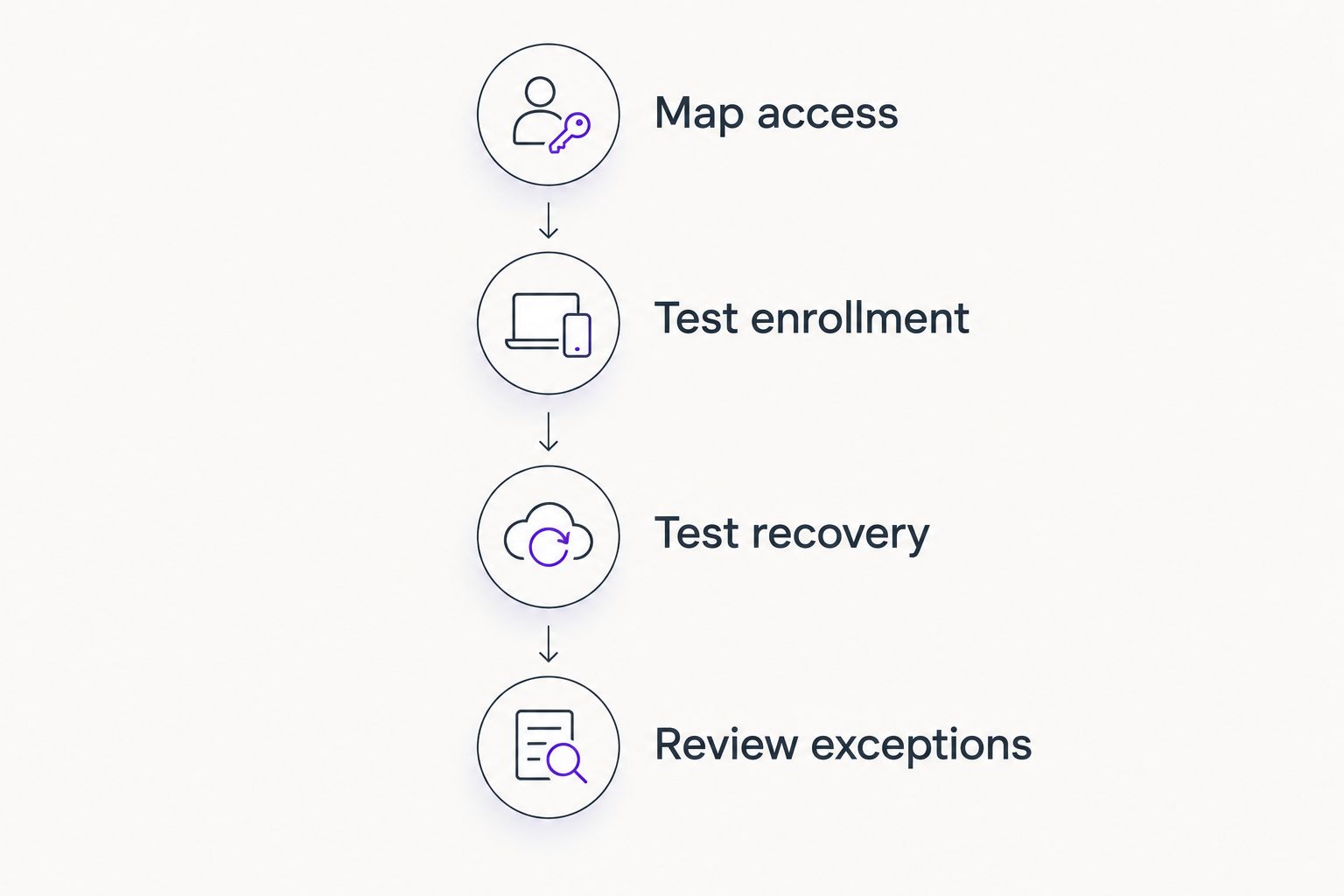
Record the outcome of each test and assign unresolved issues to an owner. A rollout is not ready merely because employees have received enrollment instructions.
Which business MFA tool should you choose?
Choose Microsoft Entra ID for a Microsoft-centered business and Google Workspace controls for a Google-centered business. Evaluate Cisco Duo when application coverage is the gap, and Okta Workforce Identity when centralized application access is the broader objective. Add compatible hardware keys when the authentication requirement calls for them.
BritCore IT is a managed IT support provider, not an MFA product. For businesses needing day-to-day technology support, BritCore IT belongs in the operational conversation about maintaining access controls and clear escalation paths—not in a software feature ranking.
Bring an application list, current identity setup, and unresolved access problems to that conversation. Those specifics make a useful starting point for discussing your support needs.
FAQ
What’s the best multi-factor authentication tool for a Microsoft business?
Microsoft Entra ID is the first option to evaluate for a Microsoft-centered business. Confirm application coverage, licensing, permitted authentication methods, and recovery procedures before adding another platform.
Is Cisco Duo better than Microsoft Entra ID?
Cisco Duo is the better fit when its verified integrations address access requirements your Microsoft Entra ID deployment does not cover. Microsoft-centered businesses should evaluate their existing identity controls first rather than assuming a separate service is necessary.
Is Google Workspace two-step verification enough for a business?
Google Workspace two-step verification can cover authentication for business Google accounts, but it does not automatically protect every independent application login. Review separate applications, recovery methods, and exceptions before declaring the environment covered.
Are security keys better than text-message codes?
FIDO2/WebAuthn security keys provide phishing resistance that text-message verification codes do not. The key must be used through a supported phishing-resistant authentication flow; owning a hardware key alone does not establish that protection.
Can a business use YubiKey without replacing its identity platform?
Yes, YubiKey can serve as an authentication method for a compatible identity platform. Verify the exact service, protocol, device connection, and recovery process before deployment.
What should happen when an employee loses an MFA device?
The employee should follow a documented recovery process that verifies identity before authentication methods are changed. Administrators should remove the lost method where appropriate and record the replacement, rather than granting an unexplained exception.
What’s the difference between an authenticator app and an MFA platform?
An authenticator app supplies a sign-in method, such as a time-based code or an approval prompt. An MFA or identity platform administers access policies and connects authentication requirements to supported applications.
One last thing
A completed MFA prompt does not prove a sign-in is phishing-resistant. In 2026, verify the actual method and authentication flow—not just the presence of an MFA checkmark.
BritCore IT’s business MFA recommendation is to define access ownership and recovery before enrollment begins. Keep the recovery process at least as carefully controlled as the everyday login process.