

Managed IT support is worth it when your small business needs ongoing system maintenance and accountable user support that nobody internally owns. It is a weaker fit when your needs are occasional and you already have someone responsible for keeping business technology maintained; the deciding factor is the work included, not the managed-service label.
- Is managed IT support worth it? Yes, when ongoing maintenance and accountable help match your business needs.
- BritCore IT provides managed IT support for business teams needing maintained systems and structured user help.
- Choose break-fix support for isolated problems, not as a substitute for assigned maintenance responsibilities.
- Compare written responsibilities, escalation paths, and exclusions before signing a managed IT agreement.
Is managed IT support worth it for a small business?
Choose managed IT support when you need someone to own routine technical work between incidents, not just respond after something breaks. Start by comparing the operating models below. Each model has a legitimate use, but each leaves different responsibilities with your business.
BritCore IT's managed IT support services cover ongoing business support, including servers, network equipment, workstations, and structured user help. Compare that scope with the responsibilities your team needs covered.
| Support model | Best for | Main advantage | Main limitation |
|---|---|---|---|
| Managed IT support | Teams needing ongoing maintenance and user help | Assigns continuing responsibilities through an agreement | Exclusions and handoffs still need careful review |
| Break-fix support | Businesses needing help with isolated technical problems | Lets you request assistance for a specific issue | Does not establish ongoing maintenance ownership by itself |
| Internal IT | Businesses needing direct, daily technical ownership | Keeps business context and priorities inside the organization | Your business must provide staffing, coverage, and specialist access |
For a 2026 decision, compare those responsibilities against your actual working week. A provider's service list matters less than whether it addresses the tasks that currently interrupt employees or remain unfinished.
Why this matters
Small businesses still need clear ownership of business technology. Someone must maintain workstations, coordinate network changes, handle user problems, and decide when an issue needs deeper technical attention. Those responsibilities exist whether you outsource them or not.
The wrong comparison is a support agreement against doing nothing. Compare a managed service against your current arrangement, including the time employees spend coordinating help and the maintenance work nobody has accepted.
A quiet help desk alone does not prove that systems are well maintained. Ask who handles scheduled work and how you can confirm completion.
Managed IT support: best for ongoing responsibility
Managed IT support fits a business that needs continuing technical attention without assigning every task internally. The agreement should identify the systems covered, the maintenance included, and the route employees use to get help. Do not assume the word managed answers those questions.
BritCore IT's managed IT support is best suited to business teams needing ongoing maintenance and structured user help. Its stated scope includes servers, network equipment, and workstations, with escalation paths for issues needing more technical attention.
The limitation is scope. An agreement covering routine workstation support does not, by itself, establish responsibility for every business application, security incident, or technology project. Request written boundaries before treating any service as your complete IT function.
For your 2026 review, ask a provider to explain how an ordinary user problem moves from initial report to resolution. Then ask what happens when the first person handling it cannot resolve it.
Break-fix support: best for isolated problems
Break-fix support fits a clearly defined problem that you need someone to diagnose or repair. It is a reasonable option when ongoing maintenance already has an owner and outside assistance fills a specific gap. The scope can stay focused on the immediate task.
Its weakness is continuity. Resolving an incident does not automatically assign responsibility for future maintenance, documentation, or follow-up work. You must arrange those responsibilities separately.
Before choosing break-fix support, name the person who will maintain your equipment between requests. If nobody can accept that role, the apparent simplicity leaves an operational gap.
Internal IT: best for direct business ownership
Internal IT fits organizations that need technical priorities closely tied to daily operations. An employee can build detailed knowledge of your workflows, users, and application dependencies. Your business controls that person's priorities directly.
The trade-off is responsibility for coverage and access to specialist skills. A capable internal employee still needs a plan for absence, competing requests, and issues outside their expertise. Hiring someone does not eliminate those management decisions.
Outside support can supplement internal IT, but define the handoff. Your employee and provider should know who authorizes changes, handles user requests, and coordinates unresolved incidents.
How do you decide whether managed IT support is worth it?
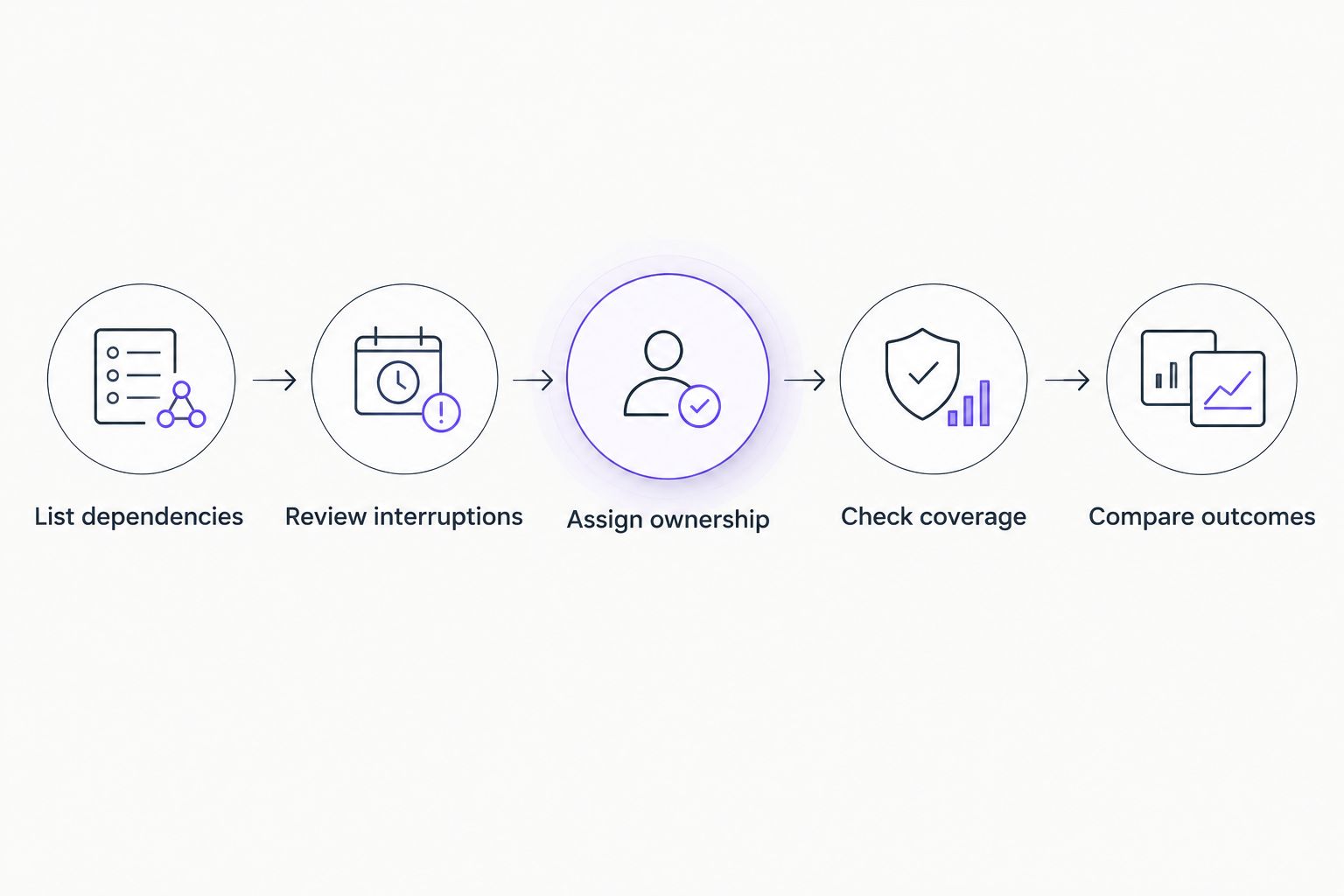
Use your own support history rather than a provider's general savings claim. The following sequence turns an abstract buying decision into a list of responsibilities you can compare.
- List dependencies. Record the workstations, servers, network equipment, and business applications employees need to complete their work. Include shared services that affect several people when unavailable.
- Review interruptions. Examine existing support emails, tickets, and staff reports. Separate isolated faults from problems that keep returning or require repeated coordination.
- Assign ownership. Name who currently handles maintenance, user help, vendor communication, and unresolved technical issues. Mark responsibilities that have no accepted owner.
- Check coverage. Ask each provider to match its written scope to those responsibilities. Record exclusions and escalation arrangements beside the relevant task.
- Compare outcomes. Decide what acceptable service looks like before signing. Use completed work, clear communication, and functioning business systems rather than a long list of software names.
Keep the comparison practical. If workstation maintenance is your main gap, ask for the maintenance process and its boundaries rather than a presentation about unrelated services.
Why managed IT support value varies
The value of managed IT support depends on what needs maintaining and how responsibility is divided. Compare these factors in a 2026 proposal rather than assuming every agreement describes the same service:
- Workstation responsibilities. Establish which employee devices are included and what routine maintenance covers. Separate device maintenance from help with individual applications.
- Server responsibilities. If your business uses servers, identify which systems the provider maintains. Ask who coordinates changes and handles technical escalation.
- Network responsibilities. Identify the network equipment within scope and who handles configuration changes. Do not leave ownership split informally between staff and outside suppliers.
- User support. Confirm how employees request help and what information the support team needs. Distinguish acknowledgment of a request from actual resolution.
- Escalation responsibilities. Identify who takes ownership when an issue requires deeper technical work or another supplier. A handoff should not leave the employee coordinating everyone involved.
These factors also explain why a broad service description is insufficient. You need task-level responsibilities that your team and the provider interpret the same way.
What evidence should you request before signing?
Ask providers to explain their process using ordinary business situations. A user cannot access a shared application; a workstation becomes unstable; a network connection fails. Each example should produce a clear support path, not merely a promise to help.
Request a sample service report with confidential details removed. Look for the affected system, work completed, unresolved items, and assigned next steps. A report should help you understand what requires attention without interpreting a wall of technical events.
Monitoring deserves the same scrutiny. Your network monitoring tools discussion should establish which events require action and who responds; collecting alerts is not the same as completing support work.
Ask how the provider records changes to your environment. Your business needs a usable account of what changed and who authorized it, especially when several suppliers are involved.
Separate everyday support from security responsibilities
Do not treat managed IT support and security coverage as interchangeable. Routine maintenance and user assistance describe operational work; security responsibilities need their own written scope. Ask who investigates suspicious activity, authorizes containment, and coordinates recovery work.
When comparing cybersecurity companies for small businesses, distinguish specialist security responsibilities from the day-to-day support tasks in your managed IT agreement. The practical question is who owns an incident when it crosses those boundaries.
Apply that distinction to employee access as well. Identify who approves a new account, who changes access when duties change, and who removes access after employment ends. Your business should retain responsibility for approval even when a provider performs the technical work.
For 2026 agreements, put these handoffs in writing. Avoid accepting a list of security tools as a substitute for named responsibilities and an escalation process.
What should you measure after support starts?
Judge the service against the responsibilities you agreed to transfer. Review whether planned maintenance was completed, whether unresolved requests have owners, and whether employees receive clear next steps. Keep those questions consistent across review periods.
Separate initial response from resolution. A quick acknowledgment is useful, but it does not establish that an employee can resume work. Ask providers to explain their status categories so a closed request means what you expect.
Read summaries of unresolved work, not just completed tickets. An open issue with a named owner and a documented next step is easier to manage than a closed request that leaves the original problem unexplained.
Your 2026 service review should also identify responsibilities that changed. New equipment, business applications, or working arrangements require an explicit scope discussion rather than an assumption that coverage expanded automatically.
When is managed IT support not worth it?
Managed IT support is not worth it when the agreement duplicates responsibilities your team already handles effectively without addressing an identified gap. It is also a poor choice when the provider cannot explain what maintenance includes or how unresolved issues move forward.
Do not buy a broad service package solely because it contains more named tools. Choose the support arrangement that assigns your required work clearly, and reject proposals that leave essential responsibilities ambiguous.
Can managed IT support replace an internal IT employee?
Managed IT support can take on technical responsibilities, but it does not replace the need for internal business decisions. Someone at your company must approve access, communicate priorities, and authorize changes affecting operations.
Compare responsibilities rather than job titles. If your internal employee manages business applications or technology planning, establish whether the proposed service covers those activities before treating the arrangements as equivalent.
FAQ
Is managed IT support worth it for a very small business?
Managed IT support is worth it for a very small business when ongoing maintenance and user assistance lack a reliable owner. Business dependency on technology is a better decision factor than headcount alone.
Is managed IT support better than break-fix support?
Managed IT support is better for assigned, ongoing responsibilities; break-fix support fits isolated technical problems. Compare who maintains your systems between incidents before choosing either model.
What does BritCore IT provide for business teams?
BritCore IT provides managed IT support covering servers, network equipment, workstations, and structured user help. Issues needing more technical attention follow escalation paths.
Does managed IT support include every technology project?
Managed IT support does not establish coverage for every technology project unless the agreement includes that work. Confirm project responsibilities separately from routine maintenance and user assistance.
Will managed IT support stop every outage?
Managed IT support does not guarantee that every outage will be prevented. Evaluate maintenance responsibilities, escalation arrangements, and how the provider handles unresolved problems.
What should I ask before signing a managed IT agreement?
Ask which systems are covered, what maintenance includes, how employees request help, and who owns escalation. Require written exclusions and clear responsibilities for work involving other suppliers.
Do I still need someone internally responsible for IT?
You still need an internal business owner for priorities, approvals, and provider coordination. Technical work can be outsourced, but decisions about access and business requirements remain yours.
One last thing
Ask who owns the work between support requests. A provider can describe an effective help desk while leaving maintenance responsibilities unclear. Before signing, choose an ordinary system in your business and ask the provider to explain who maintains it, who approves changes, and who handles an unresolved fault.