

Choose an IT support company by matching its written responsibilities to your business systems, then checking escalation procedures, security controls, and contract terms. For your 2026 shortlist, ask each provider to explain how it would handle the same business interruption; a quick acknowledgment is not the same as a restored service.
- How to choose an IT support company: compare written responsibilities before comparing proposals.
- BritCore IT fits business teams seeking ongoing managed IT support rather than consumer tech help.
- Require clear ownership for system maintenance, user support, escalation, and account access.
- Test each provider with the same incident scenario and examine contract exit terms.
Why this matters
You are choosing who takes responsibility when employees cannot work. A proposal that lists monitoring, security, and support still needs to explain which systems those services cover and what happens when a problem crosses supplier boundaries.
Use the BritCore IT managed IT support services page as a starting point for a scope discussion, not a substitute for a written agreement. Your 2026 comparison should distinguish the services described during sales from the responsibilities included in the contract.
How do you choose an IT support company for your small business?
Start with your operating requirements, compare support models, and validate the provider's process before signing. Use the checklist below in the same order with every candidate so polished presentations do not replace comparable answers.
1. Define what needs support
Write down the systems employees depend on: workstations, servers, network equipment, business applications, email, and account access. Include remote workers and any separate offices. Identify who currently owns each system and which outside suppliers remain involved.
Describe the work rather than just the equipment. For example, explain what happens when employees cannot access shared documents or a business application stops responding. This gives a prospective provider a concrete service requirement to address.
Ask for a written coverage list. It should distinguish supported systems, excluded systems, and work that requires separate approval. Do not assume that supporting a workstation includes administering every application installed on it.
2. Choose the right support model
Compare responsibility, not labels. The following models are useful starting points, but the agreement determines what a particular provider actually does.
| Support model | Best for | Main advantage | Main limitation to check |
|---|---|---|---|
| Managed IT support | Teams seeking ongoing system maintenance and user support | Assigns continuing responsibilities to an outside provider | Exclusions can leave important systems outside the agreement |
| Incident-based support | Businesses seeking help with a defined problem | Keeps the engagement focused on a specific task | Does not establish ongoing maintenance unless separately agreed |
| Shared internal and external support | Teams retaining internal IT ownership | Allows responsibilities to be divided around internal skills | Handoffs need explicit ownership to avoid gaps |
Choose the model that fills your actual responsibility gap. If your business needs routine maintenance, an agreement limited to troubleshooting individual incidents does not cover that need. If internal staff already own daily support, define what outside escalation adds.
3. Separate response, escalation, and resolution
Ask what counts as a response. An automated acknowledgment, an initial technician review, and active troubleshooting are different events. The agreement should explain how the provider measures its commitments and which service hours apply.
Request the escalation path for an issue that the initial support contact cannot resolve. Ask who takes ownership, who updates your team, and how the provider involves an application vendor or internet supplier when needed.
Use 3 incident scenarios in your evaluation: an individual workstation problem, an office-wide connectivity failure, and an account-access concern. These are suggested evaluation exercises, not a service benchmark. Ask each candidate to describe its handling of the same scenarios.
4. Examine maintenance responsibilities
Ask how the provider schedules system maintenance, handles updates, and checks whether work completed successfully. Separate workstations, servers, and network equipment in the discussion. A general promise to keep everything updated leaves too much undefined.
Establish who approves changes that interrupt work. Ask how failed changes are handled and how your business receives notice of an unresolved maintenance exception.
For your 2026 agreement, request reporting that distinguishes completed work from outstanding problems. A task marked complete should not hide a device that could not be reached or a change that still needs business approval.
5. Confirm security and recovery ownership
Separate prevention, incident handling, and recovery. Ask who manages security settings, reviews alerts, disables compromised accounts, and coordinates action when suspicious activity affects business systems.
Then examine backups separately. Ask which data and systems are included, who checks backup failures, and how restoration is tested. A backup report and a demonstrated restoration answer different questions.
Require a named owner for each responsibility. If another supplier handles part of security or recovery, document the handoff. Do not treat a list of software names as proof that the surrounding operational work is covered.
6. Check employee onboarding and departures
Ask who authorizes new accounts, who grants access, and how permissions match an employee's role. The provider should explain the approval process without relying on informal requests from whoever happens to contact support.
Review departures with equal care. Ask how account access, shared credentials, devices, and business data are handled when an employee leaves. Use this guide to disabling employee access when staff depart to structure that conversation.
Identify 1 business process that must continue during staff changes, such as access to a shared operational mailbox. Use it as an acceptance check for the proposed onboarding and departure workflow, not as permission to share individual accounts.
7. Validate the working relationship
Ask for 2 relevant references as a practical starting point. Seek organizations with similar operating needs rather than treating a recognizable company name as sufficient evidence. Ask those references about communication, unresolved issues, and responsibility during difficult incidents.
Request a sample service report with confidential information removed. Look for understandable descriptions of outstanding issues, maintenance exceptions, and decisions requiring your approval. A report should help you act, not simply display activity.
Ask who will own your account after the sales process ends. Confirm how you raise a service concern and how a disagreement about scope is resolved.
8. Review onboarding and exit terms before signing
Ask for an onboarding plan that identifies access requirements, documentation tasks, dependencies, and acceptance criteria. Clarify what your staff must provide and which existing suppliers need to participate.
Read the termination, renewal, and transition provisions. Establish who controls your accounts and how credentials, configuration records, and business data are handed over when the relationship ends.
Do not approve the agreement while ownership remains unclear. Your 2026 selection should leave you with a usable operating arrangement, including a practical route out of it—not just a list of services.
Why IT support requirements vary
Do not select a provider against a generic small-business checklist alone. Adjust the scope to your operating environment, using these factors to explain what your business needs:
- System mix: Workstations, servers, and network equipment need distinct maintenance responsibilities. List what the provider will manage directly.
- Internal ownership: Decide whether employees or internal IT staff retain technical duties. Make the boundary with outside support explicit.
- Work locations: Describe office, remote, and multi-location working arrangements so access and troubleshooting responsibilities match reality.
- Business dependencies: Identify applications and suppliers the provider must coordinate with. State who owns communication during an interruption.
- Access requirements: Explain how staff join, change roles, and leave. Require an approval process that reflects those changes.
- Recovery needs: Identify the business activities you need to restore and ask the provider to explain the recovery process for the supporting systems.
Avoid asking every provider for an identical package when your own requirements remain unsettled. First decide what your business needs maintained; then compare how each candidate accepts that responsibility.
What evidence should you request before choosing a provider?
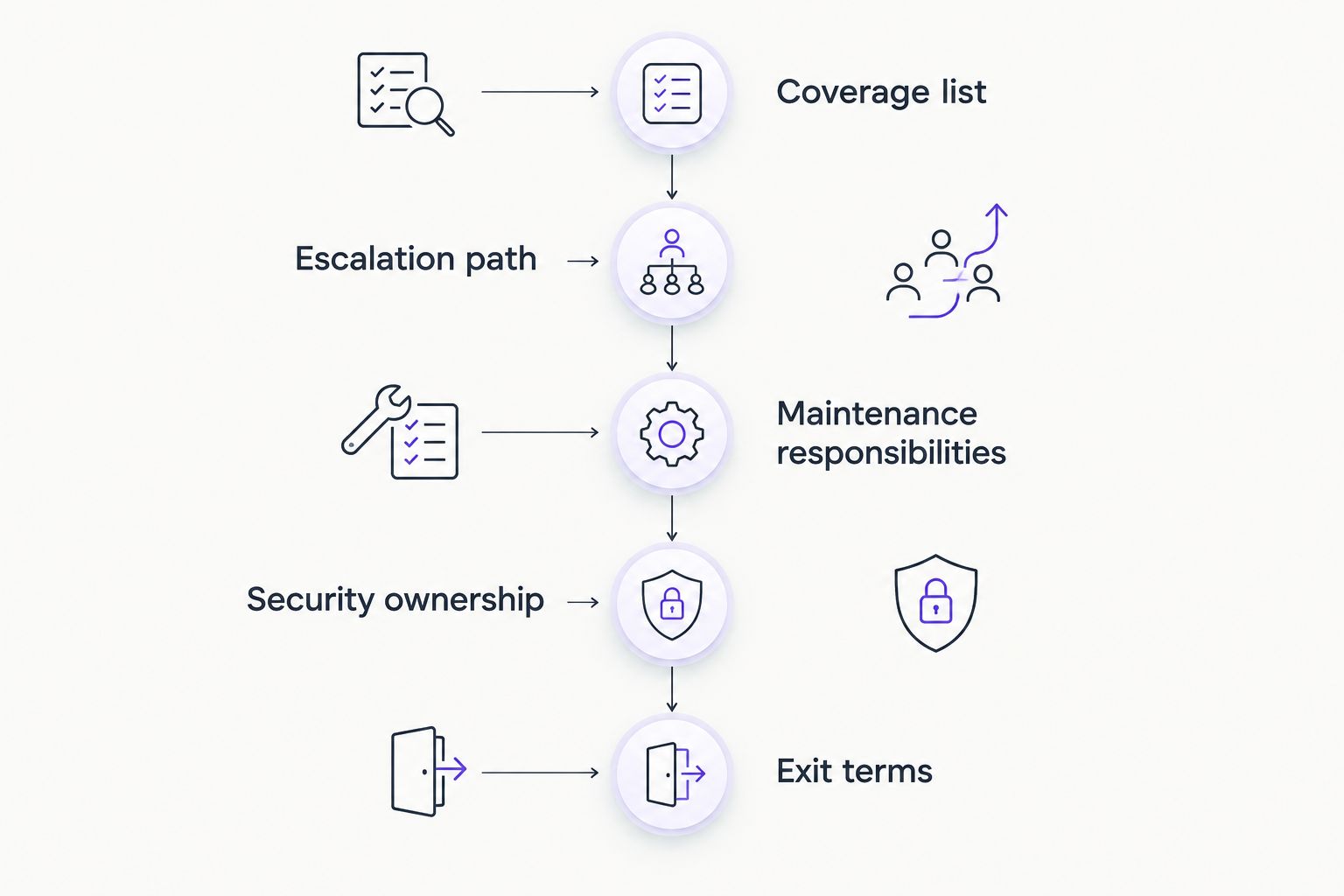
Request documents that show how the proposed relationship will work: a coverage schedule, an escalation procedure, a sample report, an onboarding plan, and transition terms. Review them together. An attractive service description does not resolve a contradictory exclusion elsewhere in the agreement.
Use this evidence checklist during your 2026 proposal review:
| Evidence | What to check | Warning sign |
|---|---|---|
| Coverage schedule | Named systems and included duties | Broad service labels without boundaries |
| Escalation procedure | Ownership and communication during an unresolved issue | Nobody identified beyond the initial contact |
| Sample service report | Open issues and actions requiring approval | Activity totals without actionable detail |
| Onboarding plan | Dependencies, responsibilities, and acceptance checks | Access requested without a handover process |
| Exit terms | Account control and documentation transfer | Unclear ownership of essential records |
Treat an unanswered question as an unresolved selection item. Ask for the answer in the agreement or its supporting schedule before treating the issue as settled.
When does ongoing managed IT support make sense?
Ongoing managed IT support fits businesses that want an outside provider responsible for continuing maintenance and structured user assistance. It is a different requirement from finding someone to fix a single device or complete an isolated project.
BritCore IT is best for business teams seeking ongoing managed IT support for servers, network equipment, and workstations. Its stated service model includes structured user help and escalation when an issue needs more technical attention.
The limitation is contractual scope: that description alone does not establish service hours, recovery commitments, or application coverage. Confirm those details against your business requirements before choosing a provider.
Discuss your support requirements
Explain your systems, user support needs, and current maintenance responsibilities.
Should I choose a local IT support company?
Choose based on required work locations, not proximity alone. If your business needs hands-on equipment work, ask who performs it, where coverage applies, and how visits are arranged.
Remote assistance does not answer every physical support requirement. Conversely, a nearby office does not establish that a provider's escalation process or maintenance scope fits your business.
How do I compare IT support proposals fairly?
Give each provider the same system inventory, incident scenarios, and responsibility checklist. Compare the written answers against those requirements rather than the number of features in a presentation.
Keep unresolved exclusions visible. If one proposal includes server maintenance and another leaves it undefined, resolve that difference before making the selection.
FAQ
What’s the most important thing when choosing an IT support company?
Written responsibility is the most important selection criterion. Confirm which systems the provider manages, what work is excluded, and who owns escalation when an issue remains unresolved.
How can I tell whether an IT support company’s response promise is useful?
Check what event satisfies the response promise. Ask whether it means an acknowledgment, technician review, or active troubleshooting, and confirm which service hours apply.
Is managed IT support better than incident-based support?
Managed IT support fits ongoing maintenance needs; incident-based support fits a defined problem. Neither label replaces a written scope explaining what the provider will actually do.
What should a small business ask about cybersecurity?
Ask who owns security settings, alert review, incident handling, and account access. Review backup and restoration responsibilities separately so recovery work is not left implicit.
Does BritCore IT support business systems or consumer devices?
BritCore IT provides managed IT support for business teams, including servers, network equipment, and workstations. Confirm the specific systems and responsibilities included in your proposed agreement.
What should I check before switching IT providers?
Check account ownership, documentation transfer, access requirements, and the new provider’s onboarding plan. Assign responsibility for the handover before ending the existing arrangement.
One last thing
Before approving your 2026 support agreement, ask: who owns the issue when the workstation, network, and application supplier each appear to be involved? Require the proposed escalation process to answer that question clearly.
A support agreement needs an owner for the unresolved problem, not just separate owners for individual systems. Put that responsibility in writing before the first difficult incident tests it.