

The time it takes to onboard a managed IT provider depends on when the provider can verify administrative access, take responsibility for your systems, and demonstrate that support works. Set separate dates for the start of user support and the completion of the technical handover; those are different milestones. For your 2026 transition, require a written schedule tied to acceptance checks rather than an unqualified completion promise.
- To onboard a managed IT provider, agree on access, support ownership, and acceptance checks before committing to completion.
- Separate the support start date from technical handover completion in your managed IT onboarding plan.
- BritCore IT fits business teams seeking ongoing managed IT support rather than consumer tech help.
- Keep optional migrations outside the critical handover unless they are necessary for safe operation.
Why this matters
A provider can start answering requests before every workstation, server, and network device is under confirmed management. Your team needs to know exactly what support covers during that interval. Otherwise, a working help desk can hide an unfinished transfer of responsibility.
BritCore IT provides ongoing managed IT support for business teams, including servers, network equipment, workstations, and structured user help. BritCore IT is best for business teams that need ongoing managed IT support with clear escalation paths. Establishing those responsibilities is the purpose of onboarding, not simply installing management software.
How long does it take to onboard a managed IT provider?
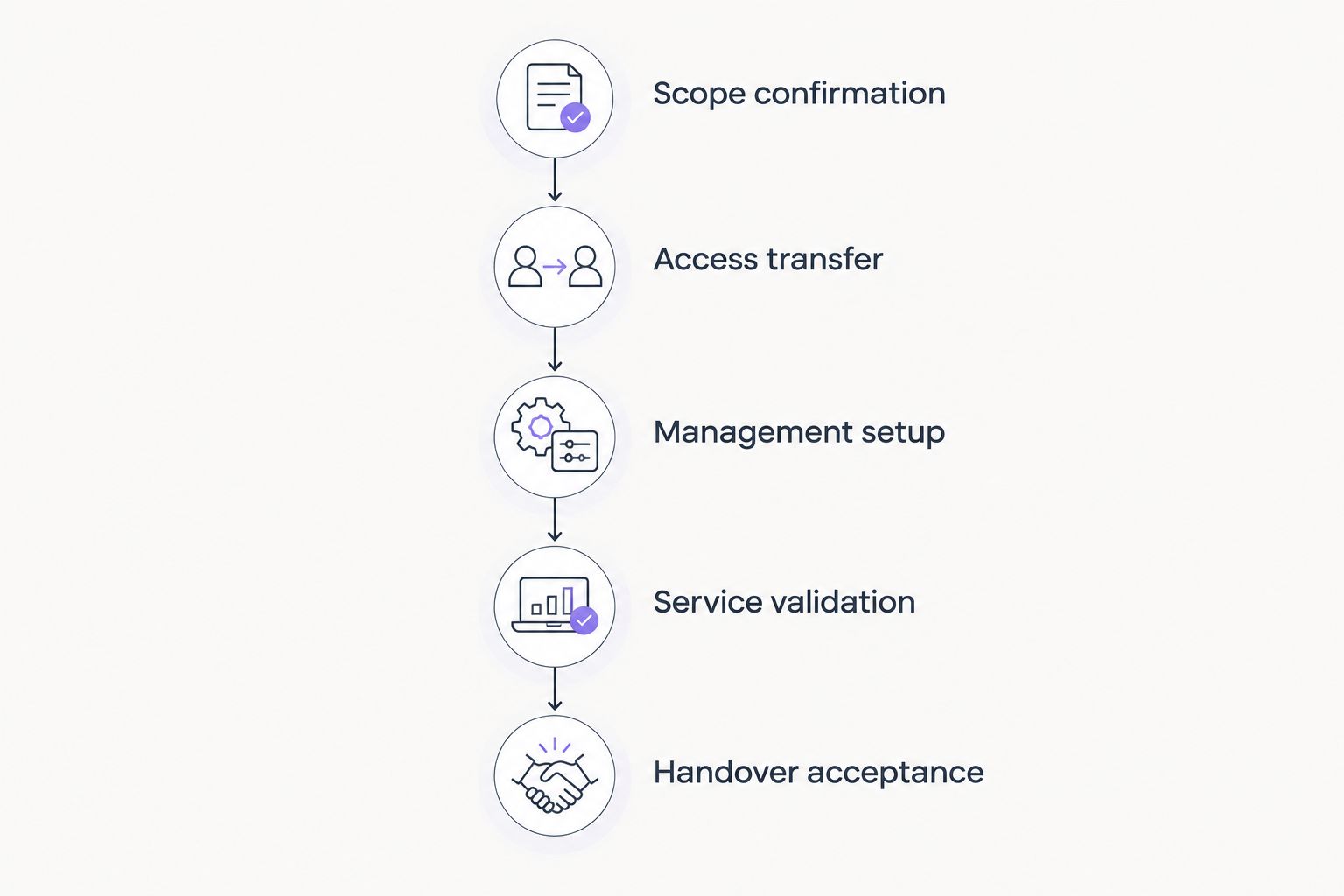
Treat onboarding as 5 stages with completion evidence, not a fixed number of calendar days. Ask the incoming provider to attach dates and named owners to each stage after reviewing your environment. A schedule is useful only when it identifies what must happen before the next stage begins.
| Stage | Work to complete | Evidence before moving on |
|---|---|---|
| Scope confirmation | Agree on users, systems, locations, and responsibilities | Approved scope and a named business decision-maker |
| Access transfer | Establish authorized access to the systems being managed | Successful access checks using the incoming provider's accounts |
| Management setup | Configure the agreed management and support arrangements | Device coverage and support routing checked |
| Service validation | Test representative support and management tasks | Recorded results, exceptions, and owners |
| Handover acceptance | Confirm ownership and separate remaining project work | Written acceptance and a tracked exception list |
Some work can run in parallel. Collecting a device inventory does not necessarily need to wait for the employee support announcement. However, the provider cannot validate administrative control before obtaining authorized access.
Ask for 2 milestone dates in your 2026 onboarding plan: the support start date and the handover acceptance date. If the provider proposes the same date for both, ask what evidence will establish readiness beforehand. The distinction matters more than whether the dates match.
Stage one: Confirm the scope
Start with what the provider will manage. List workstations, servers, network equipment, business applications, locations, and the employees who need support. Identify anything another supplier will continue to maintain.
Make responsibility explicit. Managing a workstation does not automatically establish responsibility for every application installed on it, and supporting an application does not establish control over its vendor account.
Your approved scope should answer:
- Who can request support?
- Which systems are included?
- Which problems remain with another supplier?
- Who approves access changes and disruptive maintenance?
- Who decides whether an unresolved issue blocks acceptance?
Use that scope when reviewing the provider's proposed schedule. A completion date without a defined boundary leaves both parties using different definitions of finished.
Stage two: Transfer and verify access
List the administrative accounts required for the agreed scope. Include your identity platform, domain registration, network equipment, server administration, backup administration, and relevant business applications.
Ask the incoming provider to verify access through its authorized accounts. Receiving a password list is not proof that the credentials work, that permissions are sufficient, or that account recovery is under appropriate business control.
Keep access transfer separate from access removal. The outgoing provider's access should end according to an agreed handover plan that preserves necessary support coverage and addresses security requirements. Record who authorizes that change.
Stage three: Establish management and support
Agree on how managed systems will be identified and how employees will request help. Your provider should distinguish devices confirmed under management from devices awaiting enrollment, access, or replacement.
For each exception, record the system, the reason it remains outside the agreed setup, the responsible person, and the next action. An unmanaged device should not disappear from the handover merely because the rest of the deployment succeeded.
Give employees a clear support instruction before the support start date. State where requests belong, what information to include, and how urgent problems are escalated. Avoid leaving the old and new arrangements operating without defined ownership.
Stage four: Validate the service
Test the work the provider will actually perform. Submit a representative support request, confirm authorized remote assistance where included, and check that the responsible technician can reach an agreed managed system.
If monitoring or backup oversight is included, agree on a suitable validation method for those responsibilities. An installed agent or a green status indicator does not, by itself, demonstrate every part of the agreed service.
Record the result of each check. When a check fails, assign an owner and decide whether the issue prevents support starting, prevents handover acceptance, or belongs in a separate improvement project.
Stage five: Accept the handover
Review the agreed scope against the evidence collected. Confirm which responsibilities have transferred and which exceptions remain open. Someone with authority on your side should approve that position.
Acceptance does not require treating every planned improvement as an onboarding task. Replacing an aging server, redesigning a network, or migrating an application needs its own scope when it is not necessary for the agreed handover.
Accept a defined operating position, not an unexplained percentage-complete report. Your final record should make ownership clear enough that your team knows who handles the next incident.
Choose the handover approach that matches your dependencies
A staged handover and a coordinated cutover organize responsibility differently. Neither approach removes the need to verify access and test support. Choose based on which systems can transfer independently and which must change together.
| Approach | Best for | Advantage | Limitation |
|---|---|---|---|
| Staged handover | Teams whose systems or locations can transfer separately | Lets you validate each agreed group before expanding responsibility | Requires precise ownership while providers overlap |
| Coordinated cutover | Teams whose support arrangements need a single ownership change | Gives employees a clearly defined switch point | Concentrates readiness requirements around the cutover |
With a staged handover, identify the owner of each system during the overlap. A statement that both providers are helping is not a responsibility map. Name the party receiving requests and the party authorized to make changes.
With a coordinated cutover, establish a go-or-no-go decision before the switch. Document what happens if a required access check fails. Your fallback should preserve a defined support route rather than leave employees deciding whom to contact.
When evaluating proposals, use the same scope and acceptance requirements for each provider. The questions in how to choose an IT support company also belong in the handover discussion, not just the sales process.
Why managed IT onboarding time varies
Your 2026 onboarding schedule should show the dependencies that control each milestone. Ask the provider to distinguish work it owns from work awaiting your team, the outgoing provider, or another supplier.
- Administrative access: A missing account owner or an incomplete permission set prevents validation of the affected system. Assign someone who can authorize access and resolve account ownership.
- Inventory accuracy: Unknown devices and undocumented systems expand the work that needs checking. Reconcile the inventory against the scope rather than assuming the initial list is complete.
- Outgoing-provider coordination: Documentation, credentials, and existing management arrangements need an agreed handover. Put requests and responsibilities in writing.
- Employee and device availability: Remote or disconnected workstations need an arrangement for enrollment and checks. Identify who will contact the affected employees.
- Business change restrictions: Maintenance approvals and restricted operating periods determine when disruptive work can happen. Include those constraints before agreeing to dates.
- Included project work: A migration or replacement introduces its own dependencies. Separate that work unless onboarding cannot safely proceed without it.
These factors explain what a schedule must account for; they do not justify an open-ended project. Require an updated milestone date whenever a dependency changes, along with its effect on support ownership.
What should you prepare before onboarding starts?
Prepare information that lets the incoming provider verify the environment rather than reconstruct it from disconnected messages. Keep sensitive credentials in an approved secure transfer process, not in a general planning document.
Build a preparation pack containing:
- A business contact who can approve decisions and a backup decision-maker.
- An employee list with locations and relevant support needs.
- A device and system inventory, including known exceptions.
- A supplier list with account owners and escalation contacts.
- Existing support responsibilities and relevant handover obligations.
- Known operational problems and any business restrictions on changes.
For your 2026 transition, identify who maintains each part of this pack. A document with no owner becomes less useful as employees, devices, and responsibilities change.
If you are considering BritCore IT for managed IT support, use this pack to discuss the systems and user-help responsibilities your business needs covered. Its stated scope includes ongoing system management and structured escalation; the handover still needs an agreed schedule and acceptance criteria for your environment.
Can employees get support before onboarding is finished?
Yes, employee support can start before the technical handover is complete when responsibilities are explicitly agreed. Define which employees and systems are covered, how requests enter the service, and where issues outside the incoming provider's control go.
Do not describe limited coverage as a completed transfer. Give your team a support instruction that reflects the actual arrangement, including any temporary exceptions.
Does changing providers require downtime?
Changing providers does not inherently require an outage, but specific technical changes can interrupt service. Identify any work that involves restarts, network changes, application changes, or removal of existing management components before approving it.
Ask for a maintenance plan and a fallback for each potentially disruptive change. Do not accept a blanket no-downtime promise as a substitute for reviewing the work.
How do you know onboarding is complete?
Use 3 readiness checks: verified access, tested support, and documented ownership. Apply those checks to the agreed scope, then review any exceptions before signing off.
An unresolved item needs a named owner and an agreed next action. If the item prevents the provider from performing an included responsibility, decide explicitly whether acceptance must wait.
FAQ
How long does it take to onboard a managed IT provider?
The duration depends on verified access, the systems in scope, and the work required to establish support ownership. Ask for separate support-start and handover-acceptance dates tied to documented checks.
Can we switch IT providers without stopping work?
A provider change does not inherently require an outage. Review the actual technical changes, schedule disruptive work appropriately, and agree on a fallback before the transition.
What should I ask for in an IT onboarding plan?
Ask for the scope, named owners, dependencies, milestone dates, acceptance checks, and exception handling. The plan should distinguish the start of user support from completion of the technical handover.
Do we have to replace our computers during onboarding?
Computer replacement is a separate decision from transferring support responsibility. Document any device that cannot meet the agreed management requirements and decide whether replacement blocks the handover.
When should the old IT provider lose access?
Remove the outgoing provider’s access according to an authorized handover plan that addresses security and continuity of support. Verify the incoming provider’s required access and document responsibility for the change.
Is installing remote support software enough to finish onboarding?
No. Installation alone does not verify administrative access, support routing, system coverage, or ownership. Require recorded acceptance checks for the agreed service.
What should we discuss with BritCore IT before onboarding?
Discuss your servers, network equipment, workstations, user-support needs, and escalation responsibilities. Agree on the handover scope, milestone dates, and evidence required for acceptance.
One last thing
The date employees start sending requests to a new help desk is not proof that technical responsibility has transferred. That distinction belongs in your 2026 acceptance record.
Before signing off, ask the provider to demonstrate a support request from submission through resolution and escalation where needed. A demonstration makes ownership visible in a way that a deployment checklist alone cannot.