

IT help desk response time depends on your support agreement’s priority rules, coverage hours, and definition of a response; there is no single deadline that applies to every provider. A first response also does not mean a fix: acknowledgment, technical work, service restoration, and final resolution are separate milestones.
- Judge IT help desk response time against the written service-level agreement, not an undefined promise of fast support.
- BritCore IT provides managed IT support for business teams that need ongoing system maintenance and structured user help.
- Separate first response, technician engagement, service restoration, and resolution when comparing help desk support.
- Check coverage hours, priority definitions, escalation rules, and update commitments before signing a support agreement.
How quickly does IT help desk support respond to tickets?
The deadline you can hold a help desk to is the response target stated in your support agreement. Read that target alongside the ticket priority, service hours, and conditions that start the clock. A timing promise without those definitions leaves you unable to tell whether the provider met it.
For your 2026 support review, distinguish these milestones before comparing providers or assessing your current managed IT support services.
| Milestone | What it establishes | What it does not establish |
|---|---|---|
| Ticket acknowledgment | The request reached the ticketing system | A technician has assessed the problem |
| First substantive response | Support has reviewed the request and provided a meaningful next step | Technical work is complete |
| Technician engagement | Someone has started investigation or corrective work | Business service is restored |
| Service restoration | The affected business activity can resume | The underlying issue is fully resolved |
| Final resolution | The agreed corrective work is complete | Every ticket involved the same amount of work |
An automatic receipt is useful confirmation, but it is not evidence of technical attention. Ask the provider which milestone its response commitment measures, then check whether ticket records show that event clearly.
Why this matters
A fast acknowledgment does not help an employee who still cannot access a business system. Your team needs to know who owns the ticket, what happens next, and when to expect another update.
BritCore IT provides managed IT support for business teams, including servers, network equipment, workstations, and structured user help. That service scope makes the distinction between receiving a request and handling the underlying technical problem important.
Evaluate support by its defined obligations and documented actions, not the speed of the confirmation email. This gives you a practical basis for discussing missed expectations without confusing customer communication with technical progress.
Urgent incidents: check the emergency response commitment
An urgent incident needs a clearly defined route into support. Ask how the provider classifies a business-wide outage, loss of access to a critical system, or suspected security incident. Do not assume that selecting an urgent label automatically activates emergency handling.
The agreement should identify the reporting channel, the applicable coverage hours, and the person or role responsible for escalation. It should also explain what happens when an urgent ticket arrives outside ordinary service hours.
- Best for: Interruptions that stop critical business activity or require immediate security assessment.
- Benefit: A defined emergency process makes ownership and escalation explicit.
- Limitation: Urgent handling does not guarantee immediate restoration, particularly when another supplier must act.
Describe the business impact when reporting the incident. State what stopped working, who is affected, and whether an alternative way to work exists. Those details support a more useful priority decision than an urgent subject line alone.
Routine incidents: check the standard support commitment
A routine incident still needs a measurable response target. An application error affecting one employee, for example, needs assessment even when the rest of the business can continue working.
Ask whether the support clock follows business hours and how the provider handles requests submitted after coverage ends. Also check whether a ticket moves to a different priority when its business impact changes.
- Best for: Problems that interrupt individual work without stopping a critical business function.
- Benefit: Standard handling provides an accountable route for everyday technical issues.
- Limitation: Initial priority can become inaccurate if the affected employee’s deadline or responsibilities are not explained.
For your 2026 agreement, request priority definitions based on business impact and urgency. A ticket affecting one person is not automatically unimportant; that person’s blocked task needs to be part of the assessment.
Planned requests: check the fulfillment process
A request for new access, a workstation setup, or a scheduled change is different from an unexpected failure. Support can respond to the request before approvals, equipment, or scheduling are ready.
Keep the acknowledgment target separate from the completion commitment. Ask what information starts the fulfillment process and who must approve the work before a technician proceeds.
- Best for: Approved access changes, planned workstation work, and scheduled technical tasks.
- Benefit: A defined request process makes prerequisites and responsibilities visible.
- Limitation: A prompt response cannot replace missing authorization or an agreed implementation date.
Give support the required completion date when submitting the request. Then ask for confirmation that the date is accepted, rather than treating the submission timestamp as a delivery commitment.
Why IT help desk response time varies
Ticket timing depends on the rules attached to the service, not just the time a request enters the queue. Check these factors when an apparently simple response target becomes difficult to interpret:
- Coverage hours: Establish whether the target runs during business hours, extended coverage, or continuous coverage. Check holidays and time zones explicitly.
- Priority definitions: Confirm how business impact and urgency determine the applicable response target. Ask who can revise the priority.
- Clock rules: Identify the event that starts measurement and any conditions that pause it. Separate waiting for your approval from active investigation.
- Reporting channel: Confirm which channels create a tracked ticket and which activate urgent escalation. A message to an individual employee needs a defined handoff.
- Technical ownership: Identify who remains responsible when another specialist or outside supplier must investigate. Escalation should not make ticket ownership unclear.
- Required information: Record the affected system, error, scope, and contact details. Missing context can require clarification before support can diagnose the issue.
None of these factors replaces a written commitment. They explain how to interpret it and where to ask for clearer terms.
How do you check whether a response target is useful?
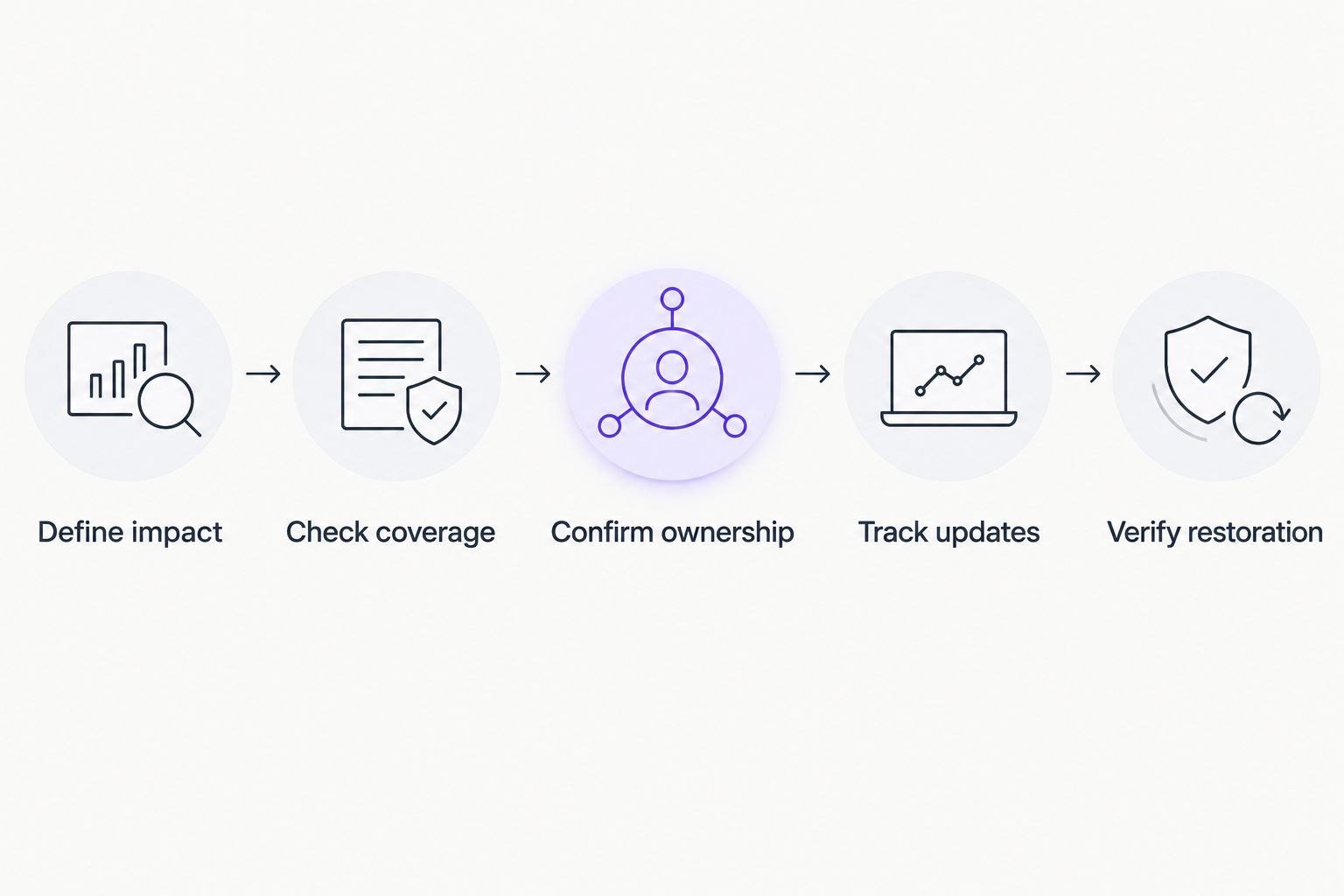
Use a sample ticket to walk through the agreement. Choose a realistic business interruption, then ask the provider to explain exactly how the ticket would be received, prioritized, assigned, and escalated.
- Define impact. State the affected business activity, users, and systems. Explain whether work has stopped or a workaround exists.
- Check coverage. Identify the applicable service hours and the event that starts the response clock.
- Confirm ownership. Establish which role accepts responsibility and what counts as a substantive response.
- Track updates. Confirm how the team receives progress reports and how the next action is recorded.
- Verify restoration. Agree how support confirms that the affected work can resume and what remains outstanding.
The exercise exposes unclear terms without requiring a live outage. If the provider cannot explain where the clock starts or who owns the next action, ask for those details in writing.
A ticketing platform can record the process, but software alone does not define the service commitment. When assessing IT help desk software for small businesses, separate workflow features from the obligations of the team operating them.
What should you include when opening a ticket?
Give support enough detail to identify the affected work and choose the next action. A useful ticket explains the symptom without guessing at the technical cause.
Include the application or device involved, the exact error message, and when the problem started. Describe whether it affects only you, a department, or a wider group. Add any relevant recent change, but distinguish what you observed from what you suspect.
State your business deadline and whether you can continue through an alternative process. Provide a contact method and your availability for troubleshooting. Do not put passwords or other secrets into a support ticket.
Keep follow-up information attached to the existing case when the support process allows it. That gives the assigned technician a single place to review symptoms, attempted actions, and changes in impact.
What should you do when the response target is missed?
Check the applicable priority and coverage window first. Then use the documented escalation route, referencing the existing ticket and the specific commitment that has passed.
Ask for an owner, a next action, and an update commitment. Those requests are more actionable than asking for a general status report, particularly when several technical teams are involved.
For a 2026 service review, compare ticket timestamps with the agreement’s definitions. Do not treat every long-running ticket as a missed response target: a prompt initial response and a delayed resolution are different performance questions.
Discuss both when necessary. A provider can meet its first-response obligation while leaving communication or restoration expectations unresolved.
Is first response time the same as resolution time?
First response time measures the defined initial support contact; resolution time measures completion of the agreed corrective work. They answer different questions, so request separate definitions and reporting.
A workaround can restore business activity before the final technical correction is finished. Ask support to record that distinction rather than closing the discussion as soon as someone replies.
Does after-hours support mean someone starts work immediately?
After-hours support does not, by itself, define when a technician starts work. Check whether the service includes ticket intake, technical response, emergency escalation, or a combination of those activities.
In your 2026 review, test the wording against an incident reported outside normal business hours. The agreement should make the next step understandable without relying on an informal promise.
Can a provider guarantee how quickly every issue is fixed?
A response commitment does not establish a guaranteed fix deadline for every issue. Diagnosis, approvals, and outside dependencies need to be distinguished from the provider’s own response obligations.
Ask which restoration or resolution commitments apply to the incident in question. Do not accept a first-response target as the answer to a question about getting employees working again.
When does managed IT support fit this need?
BritCore IT is best for business teams seeking ongoing managed IT support rather than consumer tech support. Its stated service includes day-to-day assistance, system management, and escalation paths for issues requiring deeper technical attention.
That scope is relevant when your team needs an ongoing support relationship. It does not establish a particular response deadline; confirm coverage, priorities, and escalation terms before selecting any provider.
FAQ
What’s a good IT help desk response time for a small business?
A useful IT help desk response time is a written target matched to your business impact, support hours, and escalation needs. Check what counts as a response before comparing commitments.
Does an automated email count as a help desk response?
An automated email confirms ticket receipt, but whether it satisfies a response target depends on the agreement. Ask for a separate definition of substantive technical response.
Should every support ticket get the same response deadline?
Support tickets should have response commitments that reflect defined priority rules. A critical service interruption and a planned request need different handling expectations.
What should I ask BritCore IT about ticket response times?
Ask BritCore IT to define coverage hours, priority levels, first response, and escalation ownership. Confirm the applicable commitments in the service agreement rather than assuming a deadline.
Can I escalate a ticket if the business impact gets worse?
Ask support to reassess the priority when the business impact changes. Explain what has changed and reference the existing ticket so the assessment includes its history.
What should a help desk response report include?
A help desk response report should distinguish acknowledgment, substantive response, restoration, and resolution. For a 2026 review, check those timestamps against the applicable coverage and clock rules.
One last thing
Ask what the first reply must contain, not just when it must arrive. A useful response names the owner, states the next action, and tells you when to expect another update. Put that expectation beside the timing target so a quick but empty reply does not become your definition of good support.