

Healthcare practice managed IT support is ongoing maintenance and user assistance for business technology, with the aim of keeping clinical and administrative work running. Healthcare practices need clear responsibility for patient-data access, shared workstations, application vendors, and technical problems that interrupt appointments.
- Managed IT support for healthcare practices needs clear ownership of maintenance, access control, backups, and escalation.
- BritCore IT fits business teams needing ongoing system maintenance and structured user support.
- Choose between outsourced, internal, and co-managed support based on responsibility gaps, not tool lists.
- Require recovery evidence and healthcare-specific contract terms before handing over access.
Why managed IT support matters for healthcare practices
An electronic health record application, a front-desk workstation, and the office network have different owners but support the same appointment. When something fails, your staff need a clear route to help—not a debate about which vendor owns the problem.
For your 2026 support plan, separate technology maintenance from clinical application support. A managed provider can maintain the workstation and network without controlling how the health record application behaves. Your agreement must explain who investigates the fault and who coordinates the handoff.
The IT support tools for healthcare practices guide covers the supporting tool categories. Start here with the operating model: responsibilities, access, maintenance, recovery, and escalation.
The right support agreement names an owner for the problem, even when another vendor must supply the fix. That distinction matters when reception cannot check patients in or a clinician cannot reach a required application.
Build a support plan around your practice
Use the following steps to define the work before comparing providers. You can begin with a spreadsheet, existing support records, and conversations with staff. Software helps maintain the record; it does not decide which systems your practice needs to protect.
Map the systems that support patient appointments
Start with the route a patient takes through your practice: booking, check-in, consultation, documentation, and billing. Identify the technology required at each stage. Include office-owned equipment and externally hosted services, but distinguish who administers each one.
Assign 1 named owner per system as an accountability rule, not a staffing requirement. The same person can own several records. Ownership means knowing who approves changes, where support requests go, and how the practice operates during an interruption.
Do not place passwords or patient information in this inventory. Record where approved credentials and sensitive documentation are held instead.
- List workstations, servers, network equipment, printers, and connected peripherals.
- Record application vendors, support contacts, and account administrators.
- Identify dependencies such as internet access and authentication services.
- Mark which business activities stop when each system fails.
Define support priorities and escalation routes
Review recent calls and emails manually before buying another ticketing system. Classify each issue by operational impact: an isolated inconvenience, an affected department, or an interruption to patient-facing work. Staff need examples they can recognize, not technical severity codes alone.
Separate the acknowledgment target from the restoration target. A response confirms that someone has accepted the issue; it does not mean the affected service is working again. Require the agreement to explain both, including exceptions and coverage boundaries.
For example, a failed reception workstation and a practice-wide login failure need different handling. Your support process should make that distinction without asking reception staff to diagnose the cause.
- Name the approved channel for ordinary support requests.
- Specify the urgent escalation route and its coverage hours.
- Identify who communicates updates to affected staff.
- Define when application vendors join the investigation.
Match the provider's scope to your responsibility gaps
Write down what your team already manages successfully and what lacks a dependable owner. Compare that list with the proposed service schedule. An agreement labeled managed support is not enough; you need the actual systems, tasks, exclusions, and escalation responsibilities.
BritCore IT managed IT support is best suited to business teams that need ongoing maintenance and structured user help. Its stated scope includes servers, network equipment, workstations, and escalation when issues require more technical attention.
Healthcare-specific obligations still need separate confirmation. The stated service description does not establish electronic health record expertise, emergency coverage, or healthcare contract terms. Use the managed IT support services page as the starting point for a scope discussion, not as evidence of services that are not stated.
- Compare included equipment against your actual system inventory.
- Separate routine maintenance from separately scoped project work.
- Confirm responsibility for coordinating third-party application incidents.
- Request written coverage boundaries and escalation responsibilities.
Set access rules for staff and support personnel
Begin with a simple access register: person, role, approved systems, approver, and departure date where relevant. Keep administrative privileges separate from ordinary work. A provider can help administer those controls, but your practice must still decide who should receive access.
For your 2026 access review, include temporary workers, external billing staff, and vendor support accounts where they exist. Do not limit the review to permanent employees. Confirm that access removal covers remote access and administrative accounts as well as the primary user login.
If your practice is a HIPAA-covered entity and a provider creates, receives, maintains, or transmits protected health information on its behalf, assess business associate requirements before access begins. A contract label alone does not settle that assessment.
- Give each staff member an individually assigned account.
- Require multifactor authentication where the relevant systems support it.
- Record approval before granting privileged or remote access.
- Verify access removal when employment or vendor work ends.
Schedule maintenance around clinical dependencies
Start with a shared maintenance calendar and an agreed approval process. Identify which changes affect a single workstation and which can interrupt an application, network connection, or shared service. Clinical application dependencies should shape the sequence of work.
Ask the relevant application vendor about supported operating systems and update requirements. Do not assume every update is compatible simply because it is available. Equally, leaving unsupported systems untouched is not a maintenance strategy; document the dependency and decide how to address it.
Use a 30-day baseline period as a planning example for assembling device status, outstanding updates, and recurring faults. This is a proposed review window, not a promised remediation deadline or a service benchmark.
- Agree maintenance windows with the practice's operational decision-maker.
- Document application dependencies before changing shared systems.
- Record failed updates and assign follow-up responsibility.
- Tell affected staff what changes and what to report.
Test recovery against an actual working task
List the information and systems required to resume essential work. Then ask for a controlled recovery exercise that proves a selected task can function again. A successful backup job does not, by itself, prove that your staff can retrieve and use the restored information.
Define the test boundaries before anyone restores data. Use an approved environment and avoid introducing patient information into an unsuitable location. Record what was restored, what was checked, and what remains unresolved.
Your recovery plan also needs a way to work while systems are unavailable. Practice leadership should approve that procedure and the later reconciliation of records; technical support cannot decide clinical operating procedures alone.
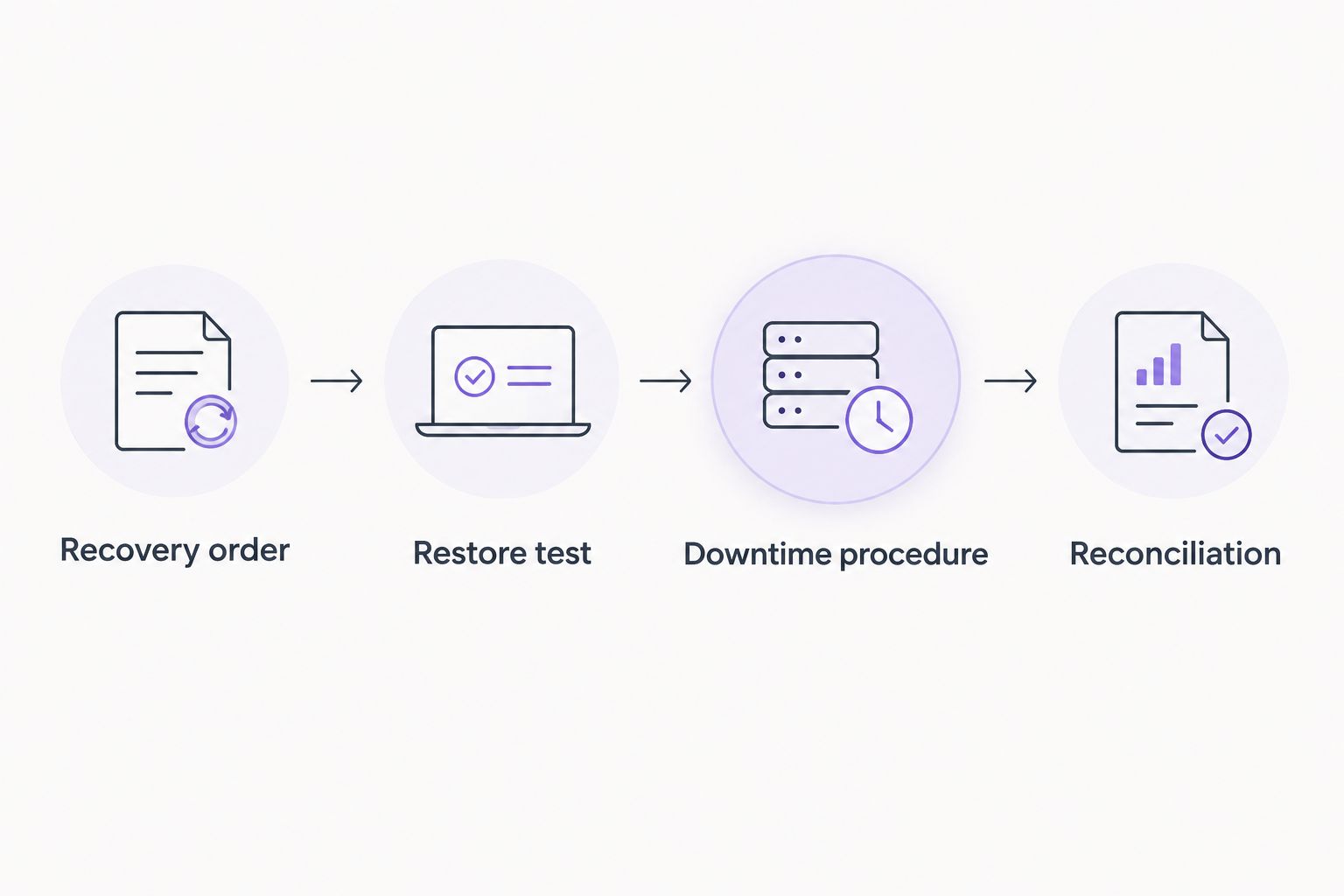
- Recovery order: identify which systems support essential work first.
- Restore test: check that recovered information opens and is usable.
- Downtime procedure: document approved work while systems are unavailable.
- Reconciliation: explain how temporary records return to normal workflows.
Review recurring incidents and unresolved ownership
Use your support records to distinguish ticket volume from operational impact. Several brief requests about the same workstation tell a different story from an extended interruption to a shared application. Record affected work, the action taken, and whether the issue returned.
Set a 90-day review interval as an example for reviewing the agreement after transition. Adjust that schedule to your practice's needs. This is a suggested management checkpoint, not a claim about how quickly a provider resolves underlying problems.
Keep the review focused on decisions. A dashboard is less useful than an assigned action for an aging workstation, unclear vendor boundary, or recovery test that did not pass.
- Group repeat incidents by device, application, or shared dependency.
- Separate unresolved faults from requests awaiting practice approval.
- Check whether staff followed the agreed escalation route.
- Assign an owner and next action to each unresolved issue.
Compare support models for your practice
Choose the model that closes your responsibility gaps. An internal employee, an outsourced provider, and a co-managed arrangement divide work differently; none removes the need for a practice decision-maker.
| Option | Best for | Main advantage | Key limitation |
|---|---|---|---|
| Fully outsourced managed support | Practices assigning routine IT operations to an external team | Places agreed maintenance and user assistance within one service scope | Coverage and application responsibilities depend on the contract |
| Co-managed support | Practices retaining an internal IT owner | Divides work between internal staff and an external provider | Unclear boundaries can leave tasks unassigned |
| Internal IT support | Practices wanting direct ownership of daily technical work | Keeps operational knowledge within the organization | Staffing must account for absence and specialist escalation |
| Incident-only support | Practices needing help with a defined technical fault | Addresses a specific issue without assigning ongoing operations | Does not inherently include continuing maintenance or review |
BritCore IT fits the outsourced managed-support model described above. Its stated offering covers ongoing business technology support; confirm whether the proposed agreement covers your practice's particular applications, operating hours, and data-handling requirements.
When comparing 2026 proposals, treat transition work as part of the service decision. The work involved in onboarding a managed IT provider depends on access handover, system documentation, and responsibility boundaries—not simply the date a contract is signed. Require a written handover plan before transferring administrative control.
That plan should identify the outgoing account owners, retained vendor contacts, and unresolved technical issues. Do not assume a new provider inherits accurate documentation or valid credentials automatically.
Common mistakes healthcare practices make
Treating application support as automatically included
Maintaining a workstation does not establish responsibility for an electronic health record configuration or billing integration. Ask who performs initial investigation, who contacts the application vendor, and who keeps staff informed. Keep coordination ownership explicit even when repair ownership sits elsewhere.
Sending patient information through ordinary support requests
A screenshot can contain more information than the technician needs. Set an approved process for sharing diagnostic material and tell staff how to remove unnecessary patient details. Confirm the permitted communication channels before an incident creates pressure to improvise.
Scheduling changes without checking appointment workflows
A technically convenient maintenance window can still conflict with documentation, billing, or after-hours clinical work. Ask the practice owner to approve the operational window. Record exceptions and communicate them to anyone responsible for patient-facing systems.
Measuring support only by closed tickets
A closed request does not prove that the affected workflow is stable. Review repeat incidents and ask whether the original problem returned. Keep a separate action record for unresolved dependencies rather than repeatedly closing the same symptom as a new request.
Assuming a provider makes the practice compliant
Managed support does not transfer every legal, administrative, or clinical responsibility to an external company. Keep your risk assessment, workforce procedures, and vendor agreements under practice ownership. Evaluate the provider's assigned controls and contract duties separately from broad compliance claims.
FAQ
What’s the best managed IT support model for a healthcare practice?
The best model is the one that assigns your maintenance, user support, and escalation gaps to named owners. Choose outsourced support when you want an external team to manage agreed daily operations; consider co-managed support when you retain an internal IT owner.
Does managed IT support include electronic health record support?
Electronic health record support is included only when the agreement explicitly assigns it. Distinguish workstation and network troubleshooting from application configuration, vendor administration, and clinical workflow support.
Does a healthcare IT provider need a business associate agreement?
A provider acting as a business associate for a HIPAA-covered entity needs an appropriate business associate agreement. Assess whether the provider creates, receives, maintains, or transmits protected health information on the practice’s behalf before granting access.
Is remote IT support enough for a medical office?
Remote support alone does not address every physical equipment problem. Define how failed network equipment, cabling faults, and workstations requiring hands-on attention will be handled, including who arranges that work.
What should a healthcare practice check in a 2026 support agreement?
Check included systems, operating hours, escalation routes, exclusions, data handling, and recovery responsibilities. Require separate definitions for acknowledging an incident and restoring the affected service.
Can BritCore IT support business workstations and servers?
BritCore IT provides ongoing support for business workstations, servers, and network equipment, with structured user help and technical escalation. Confirm healthcare-specific application responsibilities and contract requirements before selecting a service scope.
How should a healthcare practice verify its backups?
Verify backups through a controlled restore test that checks whether recovered information is usable. Record the test scope, outcome, and unresolved issues, and connect the result to an approved downtime procedure.
One last thing
Before signing, give the proposed provider a practical scenario: reception cannot access the scheduling application, but other office systems still work. Ask who accepts the incident, what they check, when the application vendor becomes involved, and who updates your staff.
Use that answer to test the agreement. If the explanation depends on responsibilities that are absent from the written scope, resolve the gap before access changes hands.