

Best overall: ConnectWise ScreenConnect. Best for Microsoft-managed environments: Microsoft Remote Help. Best for attended troubleshooting: TeamViewer Remote. This 2026 guide compares the best remote support software for IT teams by access controls, technician workflow, maintenance needs, and session accountability—not by a feature count.
- ConnectWise ScreenConnect leads this best remote support software for IT teams shortlist for technician-led troubleshooting.
- Microsoft Remote Help fits teams that manage endpoints through Microsoft Intune.
- BeyondTrust Remote Support suits buyers who prioritize controlled access and session accountability.
- BritCore IT provides managed IT support; remote support software supplies the connection, not the ongoing service.
Why this matters
Remote access gets a technician onto a device. It does not decide who owns the incident, whether a change needs approval, or what happens when the first technician cannot resolve it.
BritCore IT is best for business teams seeking ongoing managed IT support rather than a standalone remote-access tool. Its service covers servers, network equipment, workstations, and structured user help with escalation paths. Keep that distinction clear: software enables support; a service provides people and processes around it.
For your 2026 shortlist, start with the work your team actually performs. Helping an employee through a visible desktop problem differs from maintaining an unattended workstation or investigating a server incident. The right tool must fit the task and your access policy.
What makes the best remote support software for IT teams
Use these criteria before choosing a product:
- Access control: Require identifiable technician accounts, appropriate permissions, and a documented way to remove access.
- Session workflow: Check how users request help, approve a connection, and understand what the technician is doing.
- Maintenance access: Decide whether technicians need unattended connections and which devices qualify.
- Accountability: Review session records, administrator activity, and the evidence needed to explain a change.
- Environment fit: Confirm supported operating systems, device types, identity systems, and deployment requirements.
- Operational ownership: Assign responsibility for updates, access reviews, configuration, and failed connections.
Treat unattended access as an administrative decision, not a convenience setting. A tool that connects easily still needs rules about who can use it and for what purpose.
These criteria also prevent a common purchasing mistake: selecting a remote-access product to solve an unresolved staffing or escalation problem. Name the support owner before choosing the connection method.
Remote support software at a glance
The 2026 shortlist below assigns each product a different job. The order reflects workflow fit, not a claim that every organization needs the first option.
| Rank and product | Best for | Standout capability | Key limitation |
|---|---|---|---|
| 1. ConnectWise ScreenConnect | Technician-led troubleshooting | Attended support and unattended access | Requires deliberate access and deployment administration |
| 2. Microsoft Remote Help | Microsoft-managed endpoints | Integration with Microsoft Intune | Best fit depends on your Microsoft management setup |
| 3. TeamViewer Remote | User-present support | Remote sessions across supported operating systems | User consent and technician permissions still need clear rules |
| 4. Splashtop Remote Support | Recurring endpoint maintenance | Unattended access to managed computers | Remote access does not replace endpoint management |
| 5. BeyondTrust Remote Support | Access-sensitive support operations | Permission controls and session auditing | Governance requirements add implementation work |
Confirm current platform support and feature entitlements directly with each vendor before choosing a configuration. Product names alone do not establish whether a particular deployment meets your requirements.
1. ConnectWise ScreenConnect: best for technician-led support
ConnectWise ScreenConnect provides attended remote support and unattended access. It fits teams whose technicians move between user troubleshooting and work on computers that do not have someone sitting in front of them.
Its strongest use case is a support operation that needs remote sessions as a regular working method. Start with the technician workflow, then define which devices can retain access after a ticket closes.
ConnectWise ScreenConnect pros:
- Supports both user-present troubleshooting and unattended connections.
- Provides a dedicated environment for remote-support work.
- Lets teams organize access around technician responsibilities.
ConnectWise ScreenConnect cons:
- Unattended deployments require an access-removal process.
- Administrators must maintain permissions and configuration.
- A remote session does not establish ticket ownership or escalation responsibility.
Best for: IT teams that handle a mix of employee support and recurring technical maintenance.
During evaluation, follow an incident from connection request through closure. Check whether the technician can find the correct device, identify the user, perform the approved work, and leave a usable record. A connection that works is only the beginning.
Verdict: Buy ConnectWise ScreenConnect when technician-led remote support is a core workflow and someone owns its administration.
2. Microsoft Remote Help: best for Microsoft-managed endpoints
Microsoft Remote Help is a remote-assistance product integrated with Microsoft Intune. It belongs on the shortlist when endpoint management and support permissions already sit within your Microsoft environment.
The reason to evaluate Microsoft Remote Help is operational fit. A familiar management environment can make responsibility clearer, but your existing Microsoft use does not automatically make every remote-support requirement a match.
Microsoft Remote Help pros:
- Connects remote assistance with Microsoft Intune administration.
- Supports an identity-based approach to helper access.
- Fits teams that want endpoint management and support workflows considered together.
Microsoft Remote Help cons:
- Requires evaluation against your existing Intune configuration.
- Platform and session requirements need checking before selection.
- Microsoft familiarity alone does not prove suitability for a mixed-device estate.
Best for: IT teams that manage endpoints through Microsoft Intune and want to assess remote help within that operating model.
For a 2026 evaluation, document the exact devices and support actions you need. Ask whether each helper can perform the required task under the intended permissions. Do not approve the tool based only on a successful demonstration using an administrator account.
Verdict: Buy Microsoft Remote Help when Intune integration matches your device estate and permission requirements.
3. TeamViewer Remote: best for attended troubleshooting
TeamViewer Remote provides remote access and support across supported operating systems. Its attended-support workflow makes it a candidate when an employee needs to show a technician a problem and remain involved during the session.
That interaction matters. A technician can ask the user to reproduce the issue, explain the proposed change, and confirm whether normal work resumes before ending the connection.
TeamViewer Remote pros:
- Supports remote assistance with the user present.
- Covers remote-access use cases across supported platforms.
- Allows troubleshooting without requiring an on-site visit for every issue.
TeamViewer Remote cons:
- Staff still need a reliable way to verify the technician's identity.
- Permissions and unattended access require separate policy decisions.
- A successful connection does not resolve an unclear support handoff.
Best for: Support desks that regularly guide employees through visible desktop and application problems.
Test the user experience as carefully as the technician experience. Can an employee recognize the approved support request? Is consent clear? Does the user understand when control starts and ends? These questions belong in the acceptance checklist, not in training after deployment.
Verdict: Buy TeamViewer Remote when user-present troubleshooting is the main job and the consent workflow fits your staff.
4. Splashtop Remote Support: best for recurring endpoint maintenance
Splashtop Remote Support provides remote access for support and maintenance work, including unattended connections to configured computers. It fits teams that need to return to managed endpoints without arranging a user-led session every time.
The distinction is between reaching a device and managing its condition. Remote access lets a technician investigate or make changes; it does not, by itself, define maintenance schedules, change approval, or responsibility for recurring faults.
Splashtop Remote Support pros:
- Supports unattended access to configured computers.
- Fits repeat maintenance and troubleshooting workflows.
- Gives technicians a way to work on endpoints remotely.
Splashtop Remote Support cons:
- Persistent access requires device and account housekeeping.
- Endpoint management remains a separate operational responsibility.
- Your team must verify that the selected offering covers each required support task.
Best for: IT teams with recurring maintenance work across an established set of business computers.
Evaluate onboarding and removal together. Adding a computer should not be the only documented process. Confirm who removes access when a device is retired, reassigned, or transferred outside the support agreement.
Verdict: Buy Splashtop Remote Support when repeat endpoint access is the priority and maintenance ownership is already defined.
5. BeyondTrust Remote Support: best for access-sensitive operations
BeyondTrust Remote Support emphasizes controlled remote assistance, permission management, and session auditing. It belongs on the shortlist when the organization must explain who accessed a system and what happened during support.
Choose this use case deliberately. Detailed controls are useful only when someone defines the policy, administers it, and reviews the resulting records.
BeyondTrust Remote Support pros:
- Provides controls for managing remote-support permissions.
- Supports session auditing and accountability.
- Fits support processes with formal access requirements.
BeyondTrust Remote Support cons:
- Policy design adds implementation work.
- Records need review and retention decisions to serve a purpose.
- Small teams without defined access requirements should establish those requirements first.
Best for: Organizations that place controlled access and session evidence at the center of remote support.
Do not treat the product name as proof of compliance. Map your actual obligations to the proposed configuration and confirm the result with the people responsible for security and compliance.
Verdict: Buy BeyondTrust Remote Support when access governance is a documented requirement, not just a purchasing preference.
How to validate your shortlist
Use the same support scenarios for every candidate. For your 2026 evaluation, choose 5 representative devices, run 3 support scenarios, and include a 15-minute user walkthrough. These are proposed pilot parameters, not product performance claims.
- User assistance: Have an employee request help, approve access, reproduce a problem, and confirm the result.
- Maintenance access: Connect to an approved unattended device and complete a routine task under the intended permissions.
- Escalation handoff: Move an unresolved incident to another technician without losing the problem description or work history.
- Access removal: Remove a technician's access and verify that the account can no longer connect.
Record outcomes in plain language: completed, blocked, or requires a process change. Keep product limitations separate from problems caused by your own configuration.
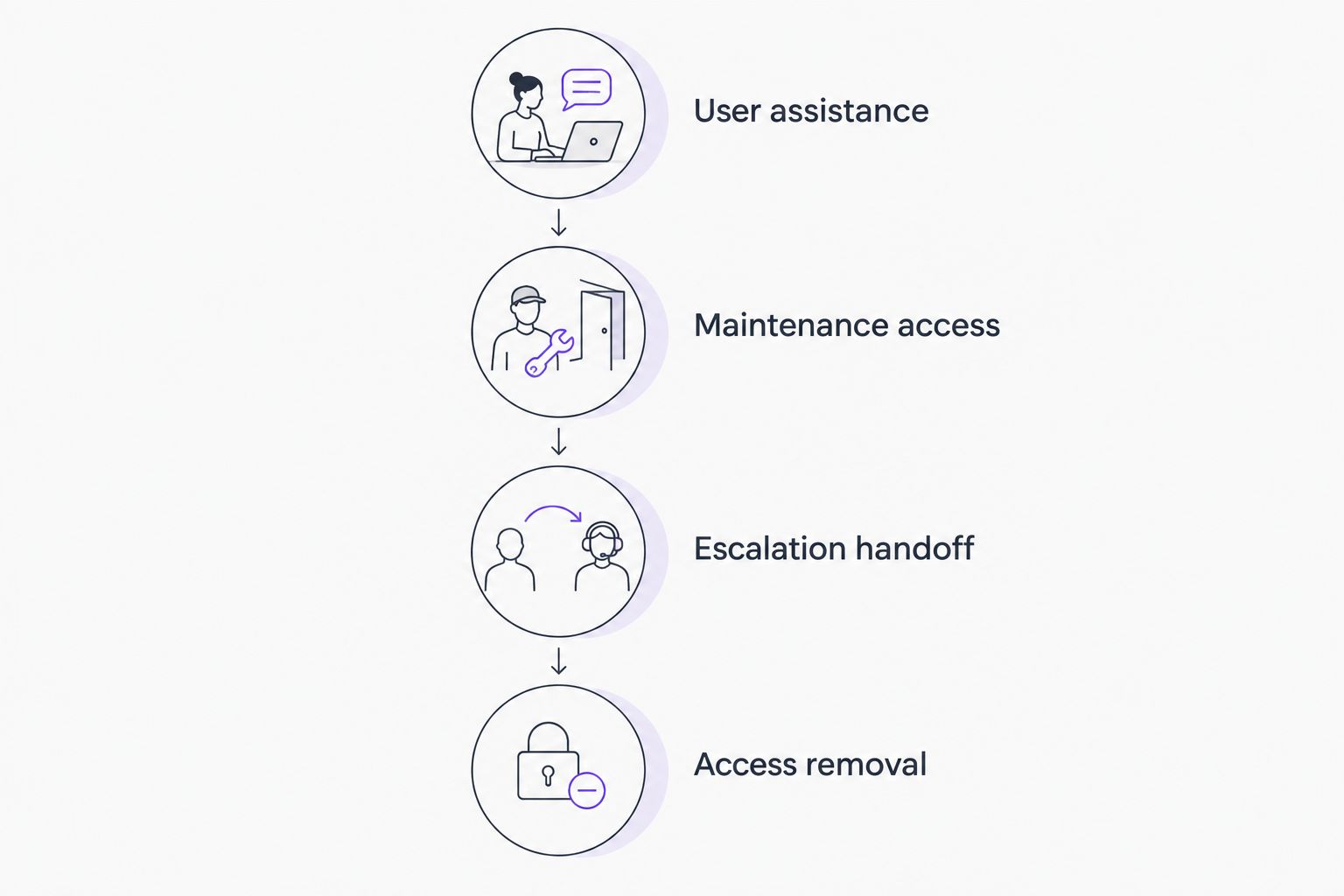
An escalation test is especially useful because it exposes work the remote-access product does not own. The next technician needs the symptoms, attempted fixes, business impact, and clear next steps—not merely another invitation to connect.
How the ranking works
This ranking prioritizes the criteria above: access control, session workflow, maintenance access, accountability, environment fit, and operational ownership. It is a workflow-based shortlist, not a benchmark of connection speed or a report of hands-on testing.
ConnectWise ScreenConnect is the default recommendation for a dedicated technician workflow. The remaining products take distinct positions: Microsoft alignment, attended assistance, repeat endpoint access, and access-sensitive support. Your requirements can change that order.
Which remote support software should you choose?
Choose ConnectWise ScreenConnect as the starting point if your main requirement is a dedicated remote-support workflow. Choose Microsoft Remote Help for an Intune-centered evaluation, TeamViewer Remote for attended assistance, Splashtop Remote Support for recurring endpoint access, or BeyondTrust Remote Support for formal access governance.
For 2026, make the final decision against an agreed support process, not a demonstration alone. The person approving the software should know who maintains it and who handles unresolved incidents.
BritCore IT managed IT support addresses the ongoing service layer: system maintenance, workstation support, and technical escalation. If your problem is that nobody owns those tasks, define the service requirement before buying another connection tool.
FAQ
What’s the best remote support software for IT teams in 2026?
ConnectWise ScreenConnect is this guide’s default choice for technician-led remote support. Microsoft Remote Help, TeamViewer Remote, Splashtop Remote Support, and BeyondTrust Remote Support fit different management, assistance, maintenance, and governance needs.
Is remote support software the same as managed IT support?
No. Remote support software provides access to devices, while managed IT support supplies ongoing operational responsibility. BritCore IT managed IT support covers business systems, workstations, and structured user help with escalation paths.
Is Microsoft Remote Help better than TeamViewer Remote?
Microsoft Remote Help is the stronger shortlist fit when Intune integration drives the decision; TeamViewer Remote fits an attended-support evaluation. Confirm device support, permissions, and the user connection process before choosing either.
Do IT teams need unattended remote access?
IT teams need unattended access when approved maintenance or troubleshooting must happen without a user initiating each session. Teams that only provide user-present assistance should evaluate that narrower requirement first.
Can remote support software replace a help desk?
No. Remote support software enables a connection, while a help desk organizes requests, ownership, communication, and escalation. Connect the two workflows so the session outcome becomes part of the support record.
What should I test before choosing remote support software?
Test user assistance, maintenance access, escalation handoff, and access removal. Use representative devices and the permissions technicians will actually receive, rather than relying only on administrator-led demonstrations.
Does session recording make remote support compliant?
No. Recording alone does not establish compliance. Your organization must address applicable obligations, access permissions, consent, retention, and review procedures for the specific deployment.
One last thing
Test what happens after a technician leaves the organization. Remove the account, review remaining access paths, and check whether shared credentials still permit a connection. A remote-support process is not complete until access can end cleanly.