

Best overall approach: dedicated asset-management software. Best for finding networked equipment: discovery software. Best for connecting equipment records to support requests: service-desk software with asset management. This 2026 guide explains which approach fits your business and when managed IT support is the better answer than another software license.
- The best IT asset management software for small business matches your inventory, ownership, and maintenance requirements.
- Choose dedicated asset-management software when equipment assignments and lifecycle records are your main priorities.
- Choose network discovery when finding connected equipment is the main problem; verify coverage before committing.
- BritCore IT suits business teams needing ongoing IT support rather than a standalone asset-management product.
Why this matters
An equipment list answers what you own. An asset-management process also answers who uses it, where it belongs, and what happens when it needs replacement or recovery. Those are different jobs, and buying software does not assign responsibility for them.
BritCore IT is best for business teams that need ongoing server, network, and workstation support rather than software alone. BritCore IT is a managed service provider, not an asset-management software vendor. Keep that distinction clear when deciding whether you need a system of record, someone to maintain business technology, or both.
For your 2026 shortlist, start with the operational gap. Missing equipment records call for inventory discipline; unresolved maintenance work calls for technical ownership.
What makes the best IT asset-management software?
Judge the software against these criteria before comparing feature lists:
- Asset identity: Records need a stable identifier, not just a device name that someone can change.
- Ownership and location: You need to distinguish the assigned employee, physical location, and person responsible for maintaining the record.
- Lifecycle tracking: The workflow should cover equipment arriving, being assigned, changing hands, leaving service, and being retired.
- Discovery coverage: Confirm which devices the software finds and which assets require manual entry or another collection method.
- Operational connections: Decide whether support tickets, endpoint controls, purchasing records, or maintenance history need to connect to each asset.
- Usable exports: Check that you can retrieve records and relationships without depending on a dashboard screenshot.
A long feature list cannot compensate for unclear ownership. Choose the smallest system that supports your required workflow without leaving important equipment outside the register.
IT asset-management approaches at a glance
These are software categories, not interchangeable products. The ranking favors a clear equipment register first, then more specialized operational requirements.
| Rank and approach | Best for | Standout capability | Key limitation |
|---|---|---|---|
| 1. Dedicated asset management | Equipment ownership and lifecycle records | A central register for assignment and status | Records still need an accountable owner |
| 2. Network discovery | Finding connected equipment | Collecting technical inventory from reachable devices | Disconnected and unreachable equipment needs another process |
| 3. Service-desk asset management | Connecting equipment to support work | Linking asset records with incidents and requests | Ticket activity does not prove inventory completeness |
| 4. Endpoint management | Administering managed computers | Applying device controls alongside collected inventory | Device management does not replace every asset workflow |
| 5. Self-hosted asset management | Teams requiring direct hosting control | Control over the application environment | Your team owns application maintenance |
The right 2026 purchase starts with the row that describes your main problem. Add another category only when you can explain what the first system cannot handle.
1. Dedicated asset management: best for equipment accountability
Dedicated asset-management software centers on the equipment record. You use it to document ownership, assignment, status, and lifecycle activity rather than treating inventory as a side effect of another system.
This is the default choice when your main questions are practical: who has the laptop, which monitor belongs to the office, and what equipment needs to come back when an employee leaves?
Dedicated asset-management pros:
- Keeps equipment accountability separate from support-ticket activity.
- Supports records for assets that do not connect to a network.
- Gives purchasing, operations, and IT a shared reference point.
Dedicated asset-management cons:
- Someone must record handovers and correct inaccurate assignments.
- An inventory record does not patch, repair, or secure the device.
Best for: Businesses whose equipment records are scattered across spreadsheets, emails, and individual memory.
Before choosing a product, walk through an employee departure. Confirm that you can identify assigned equipment, record its return, and distinguish reusable equipment from equipment awaiting retirement. That workflow matters more than an attractive inventory dashboard.
Verdict: Buy this category when equipment ownership and lifecycle tracking are your primary gaps.
2. Network discovery: best for finding connected equipment
Network-discovery software identifies equipment through supported discovery methods and collects technical information. It helps establish what is reachable across the parts of your network included in its scope.
Discovery answers a different question from assignment tracking. A detected workstation is not automatically a correctly assigned business asset.
Network-discovery pros:
- Reduces reliance on manually typing technical device details.
- Helps compare observed equipment with an existing register.
- Supports investigation of unfamiliar devices within discovery coverage.
Network-discovery cons:
- Coverage depends on reachability, permissions, configuration, and supported methods.
- Stored equipment and disconnected devices require another collection process.
Best for: Teams that lack a dependable picture of equipment connected to their business networks.
Test discovery against known equipment, not just the total result count. Include a workstation, network equipment, and a device that spends time away from the office. Investigate omissions before treating the output as a complete inventory.
Verdict: Buy for visibility into connected equipment; skip it as your only ownership register.
3. Service-desk asset management: best for support-linked records
Service-desk software with asset management connects equipment records to incidents, service requests, and related support activity. The connection gives a technician context when investigating a reported problem.
The important distinction is between tracking support work and tracking everything the business owns. Equipment that never appears in a ticket still needs a record.
Service-desk asset-management pros:
- Connects reported problems to identifiable equipment.
- Keeps support history close to the asset record.
- Helps technicians see earlier work before starting another investigation.
Service-desk asset-management cons:
- Assets without tickets can remain overlooked without a separate inventory process.
- Poor ticket linking produces incomplete equipment histories.
Best for: Businesses that already organize IT support through a service desk and need better equipment context.
During evaluation, create a support request and attach the affected device. Then check whether a technician can find the assigned employee, relevant equipment details, and earlier support activity without rebuilding the history from email.
Verdict: Buy when support context is the priority; hold if you have not defined the underlying asset register.
4. Endpoint management: best for administering business computers
Endpoint-management software administers enrolled devices through supported controls. Depending on the product and configuration, its inventory sits alongside functions such as device configuration, application management, or update controls.
Choose this category because you need to manage computers, not simply because its console contains a device list. Confirm each required control against the operating systems and enrollment methods you use.
Endpoint-management pros:
- Places device information near administrative actions.
- Supports repeatable controls across enrolled equipment.
- Helps distinguish managed devices from equipment outside enrollment.
Endpoint-management cons:
- Enrollment and platform support determine coverage.
- Device administration does not replace purchasing, storage, or return workflows.
Best for: Teams whose main problem is administering business computers rather than documenting all business equipment.
Keep the management view and ownership register connected through a stable identifier. Otherwise, a renamed or reassigned computer can leave people comparing records that appear to describe different assets.
Verdict: Buy for device administration; skip it as a complete substitute for lifecycle management.
5. Self-hosted asset management: best for hosting control
Self-hosted asset-management software runs in an environment your organization administers. This is a deployment choice rather than a guarantee of particular inventory features.
Choose it when direct control over hosting is a requirement and someone can maintain the application. Hosting responsibility includes more than getting the initial installation working.
Self-hosted asset-management pros:
- Gives your organization direct responsibility for the hosting environment.
- Lets you manage application access within your chosen infrastructure.
- Supports an internally administered system of record.
Self-hosted asset-management cons:
- Your team owns updates, backups, recovery, and application maintenance.
- Hosting control does not automatically improve record accuracy or discovery coverage.
Best for: Organizations with a defined hosting requirement and an identified application administrator.
Before approval, assign responsibility for restoring the system after a failure. A register that nobody knows how to recover is a weak foundation for equipment accountability.
Verdict: Buy only with a named application owner; skip when nobody owns maintenance and recovery.
Test the workflow before choosing software
For your 2026 evaluation, use a small, deliberate trial rather than importing everything immediately. Start with 10 representative assets and run 3 workflows: onboarding, reassignment, and retirement. These are recommended test parameters, not performance benchmarks.
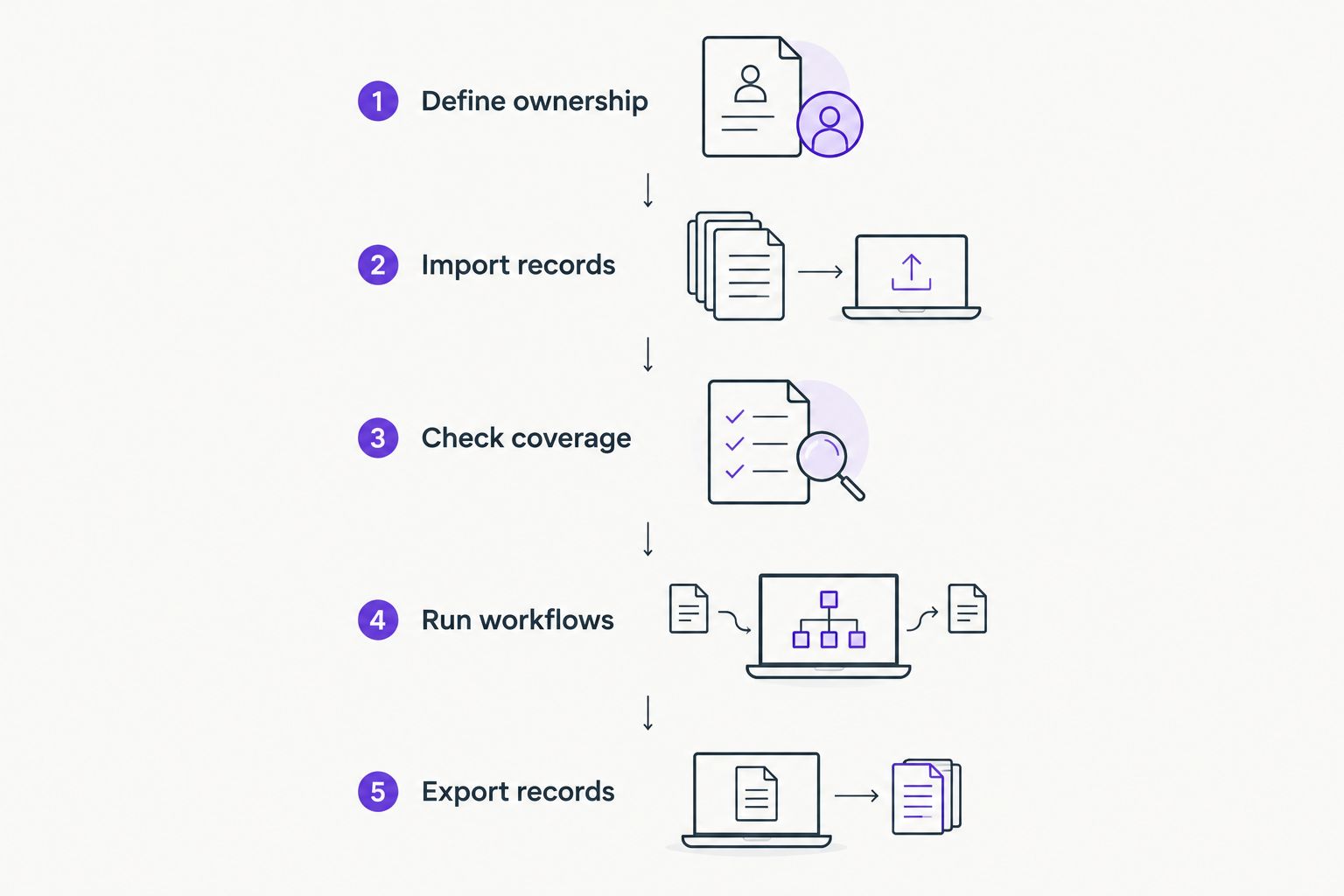
Follow this sequence:
- Define ownership: Name the person responsible for record accuracy and the person responsible for technical maintenance.
- Import records: Include assigned equipment, shared equipment, and equipment held in storage.
- Check coverage: Compare discovered or imported records with the equipment you physically know exists.
- Run workflows: Assign equipment, transfer it, and record its return or retirement.
- Export records: Confirm that identifiers, assignments, and status information survive the export.
Schedule a review after 30 days of actual use. Check whether assignments stayed current and whether someone corrected exceptions. A successful initial import is not evidence that the ongoing process works.
When managed IT support belongs in the decision
Asset software stores information and supports workflows. It does not, by itself, take responsibility for maintaining servers, network equipment, or workstations.
BritCore IT provides ongoing business IT support, including system maintenance and structured user help with escalation paths. Review its managed IT support services when your requirement includes day-to-day technical work rather than inventory administration alone.
Keep the responsibilities explicit when discussing a service arrangement:
- Who maintains the asset register?
- Who approves equipment changes and retirement?
- Who handles device maintenance and technical escalation?
- Who updates assignments after an employee joins or leaves?
Managed-support advantage: A service relationship addresses ongoing technical work. Managed-support limitation: It is not a standalone asset-management software purchase; agree on inventory responsibilities separately.
Discuss your business IT needs
Explain what needs maintaining and where equipment records or support responsibilities need clarity.
How the approaches are ranked
This 2026 ranking puts equipment accountability first, followed by discovery, support context, device administration, and hosting requirements. The criteria are asset identity, ownership, lifecycle tracking, coverage, operational connections, and exportability.
The order is a decision framework, not a claim that every product within a category has the same capabilities. Evaluate the actual product against your required workflows before signing an agreement.
Which approach should you choose?
Choose dedicated asset-management software by default when you need a reliable equipment register. Choose discovery for visibility, a service-desk module for support history, endpoint management for administrative controls, or self-hosting for a defined hosting requirement.
Do not buy several overlapping systems without naming the authoritative record. Decide which system owns assignment and lifecycle status, then document how other systems reference it.
FAQ
What’s the best IT asset management software for small business in 2026?
Dedicated asset-management software is the best default category when your main requirement is equipment ownership and lifecycle tracking. Choose discovery, service-desk asset management, or endpoint management when visibility, support history, or device administration is the primary job.
Is asset management the same as network discovery?
No. Asset management records ownership and lifecycle information, while network discovery identifies reachable equipment through supported collection methods. Use discovery results to inform the register rather than assuming they contain every asset.
Can endpoint-management software replace an asset register?
Not for every business requirement. Endpoint-management software administers enrolled devices, while a complete asset process also covers stored equipment, assignments, returns, and retirement.
Should a small business choose self-hosted asset software?
Choose self-hosting only when hosting control is a requirement and someone owns application maintenance. Assign responsibility for updates, backups, access, and recovery before deployment.
Can a spreadsheet work for IT asset management?
A spreadsheet can hold an equipment register when someone maintains it consistently. Reconsider the approach when assignments, support history, access requirements, or repeated reconciliation become difficult to manage.
Does BritCore IT sell asset-management software?
BritCore IT provides managed IT support rather than a standalone asset-management software product. Its stated services cover ongoing support for business servers, network equipment, and workstations.
How should a small business test asset-management software?
Test a representative equipment sample through assignment, reassignment, return, and retirement. Check discovery gaps, record ownership, and exports before expanding the rollout.
One last thing
Audit the handover, not just the inventory count. Before approving your 2026 selection, ask someone unfamiliar with an asset to identify its assigned user, current status, and next required action from the record alone.
If that person needs to search old emails, improve the workflow before adding more features. A useful register makes the next action clear.