

Best overall for virtualized servers: Veeam Backup & Replication. Best for combined backup and endpoint protection: Acronis Cyber Protect. Best native Windows option: Windows Server Backup. This 2026 guide compares the best disaster recovery software for small business by recovery method, operating requirements, and the work your team must own.
- Veeam Backup & Replication is the best disaster recovery software for small business running virtualized servers with technical oversight.
- Acronis Cyber Protect suits businesses seeking backup and endpoint protection within one management platform.
- Datto SIRIS suits businesses that want appliance-based recovery delivered through a service provider.
- Azure Site Recovery suits Azure-based recovery plans; Windows Server Backup suits basic Windows server restoration.
- BritCore IT provides managed IT support for business teams needing ongoing server, network, and workstation maintenance.
Why this matters
A backup preserves data. Disaster recovery restores a working business system, including the applications, access, and dependencies people need to use it. A successful backup job does not establish that your business can resume work.
For your 2026 shortlist, separate the software decision from the ownership decision. Someone must maintain recovery settings, investigate failed jobs, and verify restored applications. BritCore IT provides managed IT support services for business technology; confirm any recovery-specific responsibilities in the service scope rather than assuming they are included.
Choose the recovery method your team can operate, not the longest feature list. A technically capable platform still needs documented responsibilities and an achievable recovery procedure.
What makes the best disaster recovery software?
Use these criteria before comparing individual products:
- Workload coverage: Identify the servers, virtual machines, applications, and business data you need to recover. A server backup does not automatically cover a separate cloud application.
- Recovery method: Distinguish file restoration, full-server restoration, virtual-machine replication, and running recovered systems elsewhere. These solve different problems.
- Recovery objectives: Define acceptable data loss and downtime before choosing a configuration. Treat product capabilities as inputs to a tested plan, not guaranteed outcomes.
- Backup isolation: Check how copies remain protected if production accounts or systems are compromised. Ask who can change retention or delete recovery data.
- Operational ownership: Name the person or provider responsible for failed jobs, recovery tests, account access, and incident decisions.
- Application validation: Require a test that confirms the application works after recovery. A machine starting successfully is only part of the result.
Disaster recovery software at a glance
The 2026 ranking below assigns each option a different job. Windows Server Backup is a narrower recovery tool, while Azure Site Recovery focuses on replication and recovery orchestration rather than replacing a backup system.
| Rank and option | Best for | Standout capability | Key limitation |
|---|---|---|---|
| 1. Veeam Backup & Replication | Virtualized server environments | Backup, replication, and virtual-machine recovery workflows | Requires technical configuration and ongoing administration |
| 2. Acronis Cyber Protect | Combined backup and endpoint protection | Backup and security management within one platform | Included capabilities depend on the selected edition and configuration |
| 3. Datto SIRIS | Provider-managed appliance recovery | Local backup appliance with cloud recovery capabilities | Depends on appliance planning and the provider's operating scope |
| 4. Azure Site Recovery | Recovery into Azure | Replication and orchestrated failover for supported workloads | Does not replace independent backup and retention |
| 5. Windows Server Backup | Basic Windows server restoration | Native Windows Server backup and recovery features | Not a complete recovery orchestration platform |
1. Veeam: best for virtualized server recovery
Veeam Backup & Replication combines backup and replication capabilities for supported workloads, including VMware and Hyper-V virtual machines. It belongs at the top of your shortlist when recovering business servers requires more than retrieving individual files.
Its strongest fit is a business with technical oversight of its server environment. Match the recovery design to the actual workloads, storage, and destination infrastructure rather than assuming every recovery feature applies everywhere.
Veeam Backup & Replication pros:
- Supports backup and replication within the same product family.
- Provides recovery workflows for virtualized workloads.
- Supports different recovery tasks, from individual data restoration to machine recovery.
Veeam Backup & Replication cons:
- Recovery configuration requires technical administration.
- Backup storage and recovery infrastructure remain separate planning responsibilities.
- A successful job does not prove that an application is usable after restoration.
Best for: Businesses running virtualized servers with an administrator or service provider responsible for recovery operations.
Before selecting Veeam Backup & Replication, identify where each important server would run if its original host failed. Then test that destination, including application access and network settings.
Verdict: Buy for virtualized server recovery when technical ownership and a tested recovery destination are in place.
2. Acronis: best for combined backup and endpoint protection
Acronis Cyber Protect brings backup and endpoint protection capabilities into one management platform. It fits a business that wants to coordinate these functions rather than administer unrelated tools for each task.
The combined approach does not remove the need to define recovery requirements. Your selection still needs to match supported operating systems, application needs, and the protection features included in the chosen edition.
Acronis Cyber Protect pros:
- Combines backup and endpoint protection capabilities.
- Supports centralized administration of protected systems.
- Offers recovery options beyond simple file copying.
Acronis Cyber Protect cons:
- Feature coverage varies by edition and workload.
- Consolidating administration does not eliminate configuration work.
- Adding overlapping security tools requires a deliberate compatibility review.
Best for: Businesses seeking coordinated backup and endpoint protection under one management approach.
For a 2026 evaluation, document which existing tools Acronis Cyber Protect would replace and which would remain. Otherwise, the purchase adds another console without resolving responsibility for protection and recovery.
Verdict: Buy when combined backup and endpoint protection is a defined requirement; skip when it duplicates your existing arrangement without a clear benefit.
3. Datto SIRIS: best for provider-managed appliance recovery
Datto SIRIS combines an on-site backup appliance with cloud recovery capabilities. It suits a business that wants a service provider to operate an appliance-based continuity arrangement rather than assemble recovery components independently.
Local and cloud recovery serve different failure scenarios. Losing a server is not the same as losing access to the office, so both paths need explicit planning and testing.
Datto SIRIS pros:
- Combines local backup infrastructure with cloud recovery capabilities.
- Supports recovery workflows beyond restoring individual files.
- Fits a provider-led operating model.
Datto SIRIS cons:
- Appliance capacity must match the protected environment and recovery needs.
- Provider responsibilities need a clear written scope.
- Remote recovery still requires a plan for connectivity and user access.
Best for: Businesses seeking an appliance-based recovery arrangement operated through a service provider.
Ask the provider to explain what happens after an appliance, server, or entire location becomes unavailable. The answer should identify the recovery destination, the decision-maker, and the steps employees follow to reconnect.
Verdict: Buy when a provider owns the operating procedure and can demonstrate the recovery paths your business needs.
4. Azure Site Recovery: best for recovery into Azure
Azure Site Recovery replicates supported workloads and helps orchestrate failover and failback. Its role is to support a recovery environment, including scenarios that use Azure as the destination.
Azure Site Recovery is not a substitute for independent backups. Replication and retained recovery copies answer different questions: keeping a secondary environment ready is not the same as preserving older data against deletion or corruption.
Azure Site Recovery pros:
- Supports replication for supported recovery scenarios.
- Provides recovery plans for coordinating failover tasks.
- Supports test failover workflows.
Azure Site Recovery cons:
- Requires Azure administration and recovery-environment planning.
- Supported scenarios and workload requirements need verification.
- Networking, identity, and application dependencies remain part of your design.
Best for: Businesses with Azure expertise and a specific requirement to recover supported systems into Azure.
For your 2026 plan, map the dependencies before enabling replication. A replicated application server still needs working authentication, network routes, and access to its data. Test those dependencies together rather than approving each machine in isolation.
Verdict: Buy for a defined Azure recovery architecture; skip as a standalone answer to backup retention.
5. Windows Server Backup: best for basic Windows restoration
Windows Server Backup is a native Windows Server feature for backup and recovery tasks. It suits a limited requirement where an administrator needs to restore supported Windows server data or rebuild a server from an appropriate backup.
It is not equivalent to a platform that coordinates replicated applications across a recovery environment. Choose it for the restoration job it performs, not as shorthand for a complete business continuity plan.
Windows Server Backup pros:
- Uses native Windows Server functionality.
- Supports file, volume, and server recovery scenarios.
- Offers a straightforward starting point for a narrow Windows-only requirement.
Windows Server Backup cons:
- Lacks the broader orchestration of dedicated disaster recovery platforms.
- Backup destinations and off-site protection need separate planning.
- Wider application recovery procedures remain the administrator's responsibility.
Best for: Small Windows server environments whose restoration requirements fit the native feature set.
Write down how you would recover after losing both the server and access to its usual backup location. If the procedure depends on an unprotected local copy, address that gap before approving the design.
Verdict: Buy into this approach only for a clearly limited restoration requirement; skip it as your entire disaster recovery strategy.
How these options rank
Veeam Backup & Replication leads for virtualized server recovery because backup and replication belong in the same decision. Acronis Cyber Protect takes the combined-protection slot, while Datto SIRIS fits provider-managed appliance recovery.
Azure Site Recovery serves a defined cloud recovery architecture. Windows Server Backup covers a narrower restoration task. This is a capability-and-fit ranking, not a claim that one configuration delivers a measured recovery time for every business.
Use the criteria above to reorder your own shortlist. A business without Azure administration should not select Azure Site Recovery simply because cloud recovery sounds attractive.
Set recovery targets before requesting a proposal
Turn acceptable business disruption into written requirements. Use targets such as these as planning examples, not product performance claims:
- Data loss: If you select a recovery point objective of 15 minutes, your design must preserve recoverable data frequently enough to support that target.
- Downtime: If you select a recovery time objective of 4 hours, include application checks and employee access within that window.
- Test preparation: Reserve 60 minutes for a planning session to identify systems, owners, dependencies, and the recovery scenario to test. This is not a promised restoration duration.
Ask business owners to approve the targets. Technical teams should then show what infrastructure and operating work those targets require.
Test the recovery sequence
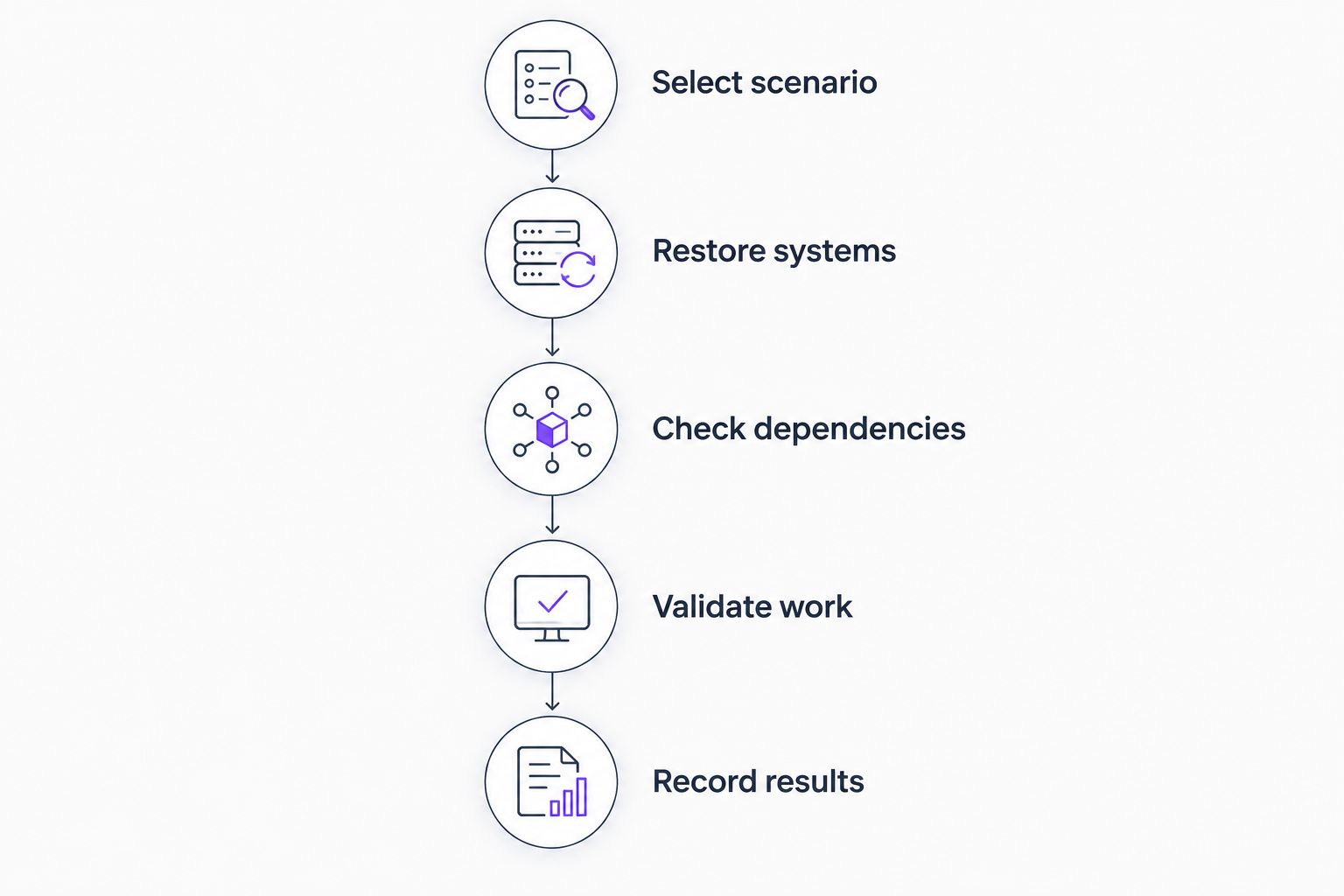
Use this sequence during a controlled exercise. Choose an isolated test environment so the exercise does not interrupt production systems.
- Select scenario: Define the failure, such as a lost server or inaccessible office.
- Restore systems: Recover the required machines and data to the planned destination.
- Check dependencies: Confirm authentication, network access, and connections between applications.
- Validate work: Have an authorized user complete a representative business task.
- Record results: Document elapsed time, missing steps, and changes needed before the next test.
Keep the recovery instructions somewhere authorized staff can reach when normal systems are unavailable. Include access procedures without placing passwords directly in the document.
Which disaster recovery software should you choose?
Choose Veeam Backup & Replication as the default shortlist leader for virtualized business servers with technical oversight. Choose Acronis Cyber Protect for combined protection, Datto SIRIS for provider-managed appliance recovery, or Azure Site Recovery for a defined Azure recovery design.
Windows Server Backup belongs on a narrower shortlist. Do not treat native backup functionality as evidence that your business has a complete recovery arrangement.
BritCore IT is best for business teams seeking managed IT support for ongoing server, network, and workstation maintenance. If you need outside help, contact BritCore IT with your system list and recovery requirements, then establish which responsibilities belong in the service scope.
FAQ
What’s the best disaster recovery software for a small business in 2026?
Veeam Backup & Replication is the default shortlist leader for small businesses running virtualized servers with technical oversight. Acronis Cyber Protect, Datto SIRIS, and Azure Site Recovery fit different operating requirements.
Is disaster recovery software the same as backup software?
No. Backup preserves recoverable data, while disaster recovery also addresses how systems, applications, and user access return to operation. Some products support both functions, but the recovery procedure still needs testing.
Is Azure Site Recovery better than Veeam Backup & Replication?
Azure Site Recovery is the better fit when the requirement is a defined, supported Azure recovery architecture. Veeam Backup & Replication is the broader shortlist choice when backup and virtualized server recovery are the main requirements.
Can Windows Server Backup handle disaster recovery?
Windows Server Backup can support server restoration, but it is not a complete recovery orchestration platform. You still need protected backup destinations, application recovery instructions, and a tested procedure.
What should I ask a disaster recovery provider?
Ask who monitors protection jobs, authorizes failover, restores applications, and verifies employee access. Request a written scope and a demonstration of the recovery scenario your business needs.
Does BritCore IT sell disaster recovery software?
BritCore IT provides managed IT support services for business teams. Confirm recovery-specific software and operating responsibilities directly rather than assuming they are included in an ongoing support arrangement.
How do I know whether my recovery plan works?
Run a controlled recovery test and verify a representative business task in the restored environment. Record elapsed time, application dependencies, access problems, and the changes required before approval.
One last thing
A server can start successfully while its business application remains unusable. Make a completed business task—not a green backup status—the final acceptance check for your 2026 recovery plan. That gives your team a clear definition of restored service.