

Yes. Managed IT support can work alongside an existing in-house IT team through a shared arrangement, often called co-managed IT, where your employees retain agreed responsibilities and an external provider handles defined support or maintenance tasks. The arrangement needs written ownership, access controls, and escalation rules so neither team assumes the other is handling an issue.
- Managed IT support with in-house IT team coverage works when task ownership, permissions, and escalation paths are explicit.
- Keep business priorities and change approvals with your organization; assign external work through a written scope.
- BritCore IT provides managed IT support for business teams, including system maintenance and structured user help.
- Choose shared support to fill a defined operational gap, not to create a second competing help desk.
Why this matters
Adding a provider does not automatically remove work from your internal team. If every ticket still needs your IT manager to investigate, assign, explain, and chase it, you have added coordination rather than useful capacity.
For a 2026 support plan, start with the work that lacks a clear owner. That might be routine workstation maintenance, server administration, or technical escalation. BritCore IT’s managed IT support services cover business technology, including servers, network equipment, workstations, and structured user support; any shared arrangement still needs an agreed division of duties.
Buy a defined responsibility, not an undefined promise to help. Your internal team should know exactly which work leaves its queue and which decisions remain under its control.
Can managed IT support work with an existing in-house IT team?
Yes. Your internal team and provider can divide responsibilities by system, support stage, or type of work. The practical test is whether an employee’s request can move from reporting to resolution without confusion about who owns the next action.
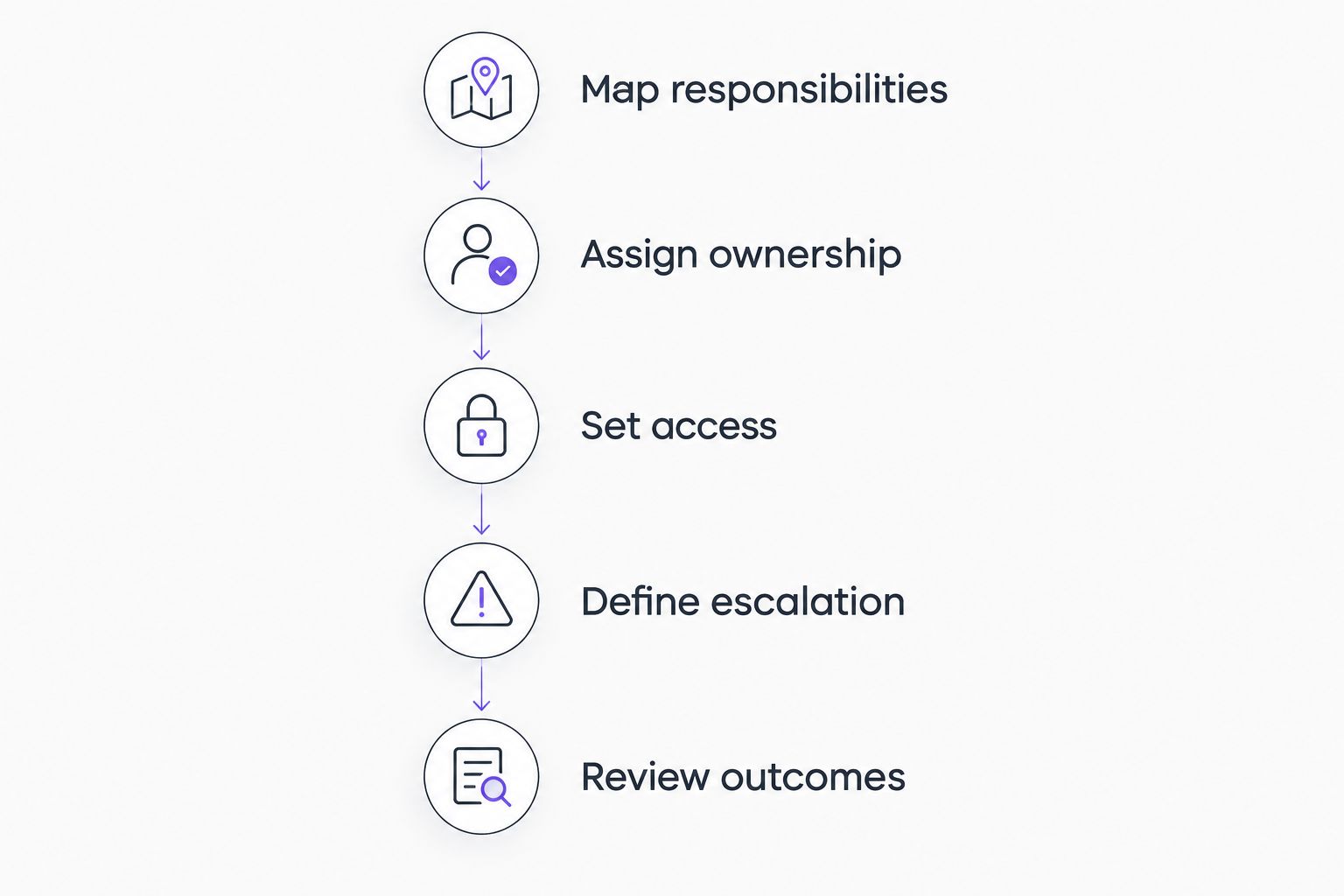
Use these 5 steps to establish that division:
- Map responsibilities. List the systems and recurring tasks that need support. Include user requests, workstation maintenance, server administration, network changes, and access management.
- Assign ownership. Give each activity a primary owner and name who approves changes. Shared visibility is useful; ambiguous accountability is not.
- Set access. Grant the permissions required for each assigned task. Record who approves, reviews, and removes that access.
- Define escalation. State when an issue moves between teams and what information must accompany it. Keep a named owner throughout the handoff.
- Review outcomes. Check whether the arrangement completes assigned work and leaves your internal team with fewer unresolved dependencies.
The support agreement should translate these steps into operating instructions. A broad statement such as “both teams manage the network” does not explain who investigates an outage, approves a configuration change, or communicates with employees.
Which support arrangement fits your internal team?
Choose the arrangement around the work your employees should retain. For your 2026 decision, compare operating responsibilities rather than treating every external support agreement as a replacement for internal IT.
| Arrangement | Best for | Main advantage | Main limitation |
|---|---|---|---|
| In-house support | Organizations that want employees to perform and control day-to-day IT work | Direct access to business knowledge and internal priorities | Your organization must provide the required skills and coverage |
| Co-managed support | Organizations keeping internal IT while assigning defined work externally | Preserves internal ownership while dividing operational work | Requires clear handoffs, permissions, and shared documentation |
| Fully outsourced support | Organizations assigning day-to-day IT operations to an external provider | Creates an external point of operational responsibility | Business approvals and vendor oversight still need an internal owner |
Co-managed support is the best fit when you want to retain your IT team and transfer a specific workload. It is a poor fit when leadership expects the provider to take responsibility without receiving the access, authority, or information needed to act.
An internal team also needs permission to hand work over. If employees continue routing every request directly to a familiar technician, the agreed division exists only on paper.
What should your in-house IT team keep?
Keep business decisions with people who understand your organization’s priorities and have authority to approve them. A provider can investigate a technical issue without deciding which business process matters most.
Your internal responsibilities should normally include:
- Business priorities: Decide which services and projects take precedence when demands conflict.
- Change approval: Identify who can authorize changes affecting employees or business operations.
- Application ownership: Maintain internal knowledge about how departments use business applications.
- Access authorization: Decide which employees require access and who approves exceptions.
- Provider oversight: Review whether assigned work is complete and unresolved issues have owners.
Technical execution and business approval are different responsibilities. Your provider might perform an approved account change while a manager remains responsible for confirming that the employee should receive access.
Do not make your internal IT manager approve every routine action by default. Define which actions are already authorized, which need approval, and which require immediate escalation. That distinction lets your employees retain control without becoming a bottleneck.
What work can an external provider take on?
An external provider can take on tasks that your agreement specifically assigns and that its team is equipped to perform. Examples to discuss include workstation maintenance, server administration, network equipment management, and user support.
Write each responsibility as an action with a boundary. “Maintain assigned workstations” is more useful when it identifies the devices covered, permitted changes, exception handling, and the person responsible for resolving failed maintenance tasks.
For each work area, answer 3 ownership questions:
- Who performs the task?
- Who approves changes outside the agreed routine?
- Who owns the issue if the task fails?
BritCore IT managed IT support suits business teams seeking ongoing maintenance and structured user help. Its stated scope includes servers, network equipment, and workstations, with escalation when issues need more technical attention.
That scope is a starting point, not a substitute for a shared-support agreement. Confirm the duties, access requirements, and handoffs you need. Retaining an internal team also means retaining coordination work; outside support does not remove the need for business decisions or provider oversight.
Why co-managed IT arrangements vary
The right division depends on how your business operates, not on the label attached to the contract. These factors determine what you should assign externally:
- Internal responsibilities: A team focused on business applications needs a different support split from one maintaining servers and networks.
- System ownership: Someone must identify which devices, applications, and network components fall within the agreement.
- User support routing: Employees need to know where to report issues and how urgent problems receive attention.
- Approval authority: The provider needs clear boundaries for routine actions and changes requiring permission.
- Documentation access: Both teams need the records required to perform their assigned work without relying on memory.
- Escalation requirements: Issues involving several systems need a defined handoff rather than competing investigations.
Put these decisions in your 2026 operating scope. A short responsibility matrix that people use is more useful than a long document that leaves everyday actions unresolved.
How should tickets move between both teams?
Give employees a clear reporting route, then handle internal routing behind it. Employees should not have to diagnose whether a problem belongs to a workstation, server, network, or application before asking for help.
Every handoff should preserve the issue description, business impact, actions already attempted, relevant evidence, and next owner. The receiving team should acknowledge responsibility rather than leaving the original technician to assume the transfer succeeded.
Set a rule for cross-system incidents. If an application fails because of a network issue, the ticket still needs an owner who coordinates the work and keeps the employee informed. Changing the technical diagnosis should not make the request disappear between queues.
Escalation is a transfer of action, not a transfer of accountability into an empty queue. Keep the current owner responsible for coordination until the next owner accepts the issue.
How do you protect control over systems and access?
Use named accounts and permissions matched to assigned duties. Keep a record of external access, the reason it exists, and the person authorized to approve it. Avoid making shared administrative credentials the default way both teams work.
Your 2026 access review should check 4 controls:
- Named access: Identify the person or approved service associated with each account.
- Limited permissions: Provide the access needed for assigned responsibilities rather than unrestricted access by habit.
- Recorded changes: Preserve enough detail to understand what changed, who changed it, and why.
- Access removal: Specify how accounts and permissions are removed when responsibilities or personnel change.
Keep essential documentation available to your organization. Your team should be able to locate system ownership records, administrative access procedures, support history, and current configuration information without depending on a particular individual.
How do you start without disrupting existing support?
Start with an inventory of current responsibilities and unresolved work. Identify where your internal team wants external ownership, where it wants technical assistance, and where it wants no change.
Next, select a bounded area for the initial handover. Define what counts as accepted work, how exceptions are reported, and how your internal team verifies completion. Expand the scope only after the operating process is clear.
Before the handover, tell employees where to request help and what information to provide. Tell managers who approves access and operational changes. A technically sound arrangement still creates confusion if staff receive conflicting instructions.
For a 2026 onboarding plan, agree on completion evidence rather than relying only on a calendar date. Transferred responsibilities should have documented owners, working access, usable records, and a tested escalation route.
Does co-managed IT replace your IT manager?
No. Co-managed IT keeps internal responsibilities while assigning agreed work to an external provider. Your IT manager can retain business priorities, approvals, and provider oversight while delegating defined operational tasks.
If leadership intends to remove the internal role entirely, evaluate that as an outsourcing decision instead. Do not present a replacement plan as additional support.
Can the provider use your existing support tools?
Existing tools can remain part of a shared arrangement when both teams agree on access, workflow, and responsibility. Confirm compatibility and permissions before making tool continuity a condition of the handover.
The essential requirement is a usable record of work. Separate tools need an explicit process for transferring ticket details, changes, and ownership without losing context.
How do you know whether shared support is working?
Check whether assigned tasks finish, tickets retain clear owners, and internal staff can find the information they need. Compare those outcomes with the specific problem that justified external support.
A provider can complete individual tickets while the overall arrangement still leaves your team coordinating every action. Review both task completion and the internal work required to achieve it.
FAQ
Can managed IT support work with a small in-house IT team?
Yes. A small in-house IT team can retain business priorities and approvals while a provider handles defined maintenance or support work. Assign responsibilities explicitly so the internal team does not have to supervise every routine action.
Is co-managed IT the same as outsourcing all IT support?
No. Co-managed IT divides responsibilities between your employees and an external provider, while full outsourcing assigns day-to-day IT operations externally. Both arrangements still require internal business decisions and oversight.
Who should employees contact when both teams provide IT support?
Employees should use the reporting route your organization designates. The teams should route and escalate requests behind that entry point rather than asking employees to identify the technical owner.
Can our internal IT team keep administrator access?
Yes, when that access matches its assigned responsibilities and your access policy. Document permissions for both teams, including who approves changes and removes access.
What happens when an issue falls between the provider and our IT team?
The current ticket owner should coordinate the issue until another owner accepts responsibility. Write that handoff rule into the operating process before support begins.
What should a co-managed IT agreement include?
A co-managed IT agreement should identify supported systems, assigned tasks, approval authority, access requirements, escalation rules, and documentation responsibilities. It should also explain how scope changes and handovers are handled.
Do we need to replace all our IT tools to use managed support?
No blanket replacement is required by the shared-support model. Confirm which tools the provider can work with and how both teams will maintain accurate support records before agreeing to the arrangement.
One last thing
Ask this before signing: Who owns an unresolved ticket when its cause is still unknown? The answer reveals whether you have a working support process or merely a list of technical specialties.
Your agreement should let both teams investigate without leaving the employee responsible for chasing them. Clear ownership matters most before anyone knows which system is at fault.